

CA Catalyst connectors prior to CA Catalyst r3.2 integrate with a specific domain manager or generic data source (such as SNMP traps) and are provided as downloadable published solutions.
For the most recent list of available connectors, see the connector download page on CA Support.
Use this scenario to guide you through the process:
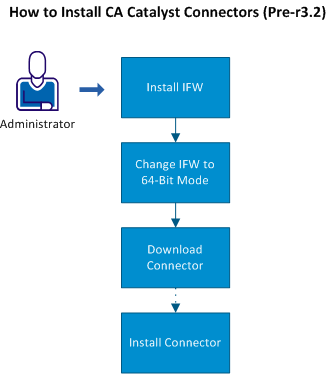
Complete the following process to install CA Catalyst connectors:
Note: If you are installing connectors with the SA Manager, which already has the latest IFW installed, skip to Step 2.
|
Copyright © 2013 CA.
All rights reserved.
|
|