

When a user queries the database, the product restricts the results to data objects belonging to tenants that the user is authorized to access. This restriction applies in addition to any data partition restrictions that are in effect. Users see only data in tenant-required and tenant-optional tables and the data belonging to tenants that they are permitted to access.
When a tenant user asks to create or update a database object, the product verifies the following:
Note: An exception to the SREL reference restriction exists. Certain SREL references (such as the assignee of an incident) can reference objects that belong to tenants in tenant hierarchy of their containing object. Such references are designated as SERVICE_PROVIDER_ELIGIBLE in the product object schema. The SERVICE_PROVIDER_ELIGIBLE flag makes a difference only if the service provider tenant is not in the tenant hierarchy above the object of the tenant. When the service provider tenant is in the hierarchy, tenant validation rules permit service provider references.
If a user that creates an object has update access to multiple tenants, the user must specify the tenant explicitly, either directly or indirectly.
A service provider user asking to create or update an object is subject to the same restrictions as tenant users. An exception is that you can authorize the service provider users to create or update public objects. The active role of the service provider user controls this authorization.
Note: If the product limits a user from updating tenant data, an error message can announce a data partition limitation. If you receive this error message, either data partition or multi-tenancy restrictions are in effect.
Example: Tenant Access to CA SDM Data
This example demonstrates how Tenant A, Tenant B, and Tenant C access their own and public data in CA SDM.
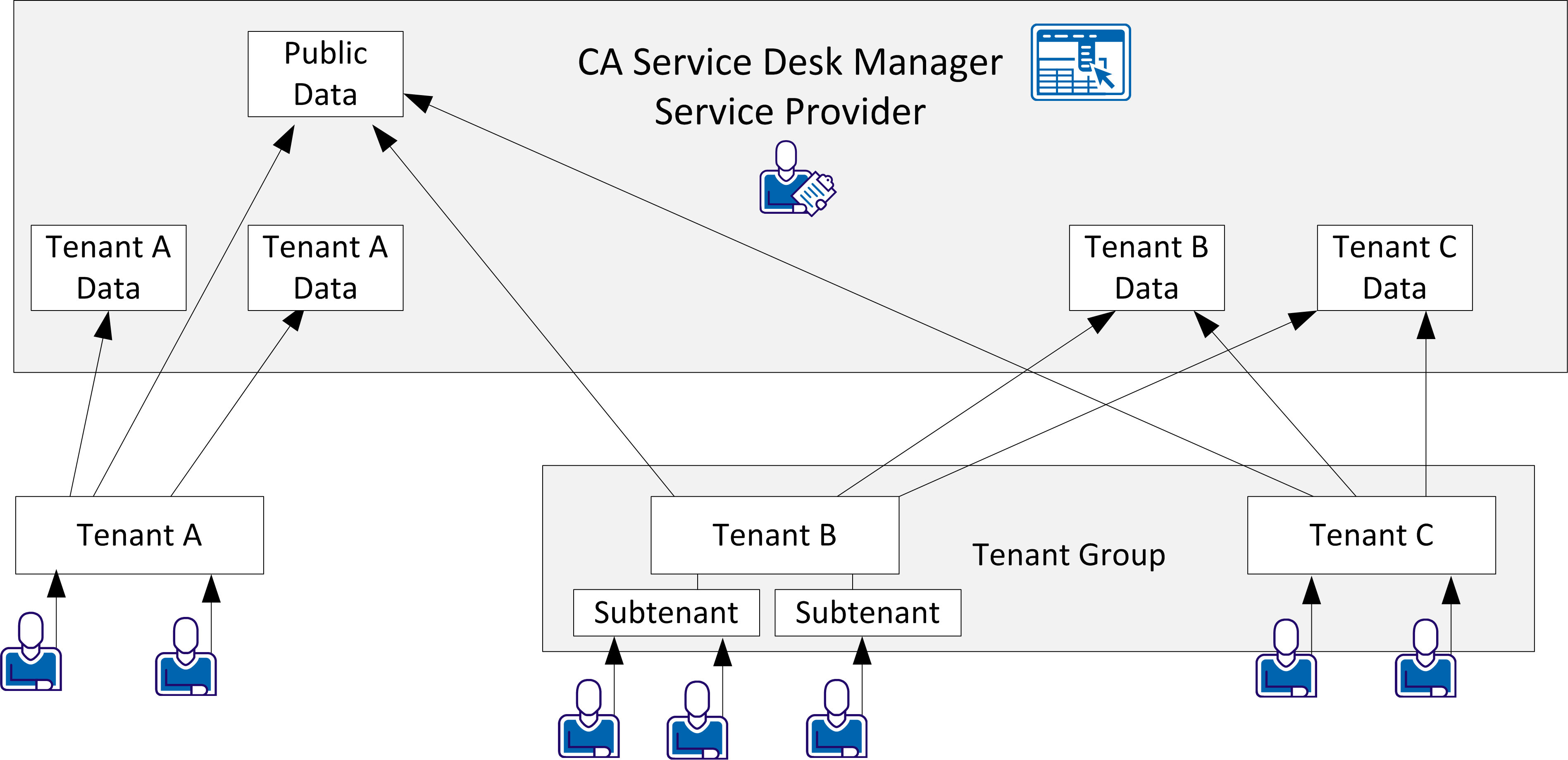
In the example, the arrows point to data that each tenant can access as follows:
|
Copyright © 2013 CA.
All rights reserved.
|
|