

Administration Guide › Setting Up Reservation Manager › Setup and Configuration › Make Amazon Machine Images Available from EC2 › Configure Reservation Manager for Amazon EC2
Configure Reservation Manager for Amazon EC2
As a System Administrator, you can configure Reservation Manager so end users can reserve Amazon Machine Images (AMIs) from the Amazon Elastic Compute Cloud (EC2). This process assumes that you are already logged in to the Reservation Manager administrator user interface.
The following diagram illustrates the process for making AMIs available for reservations:
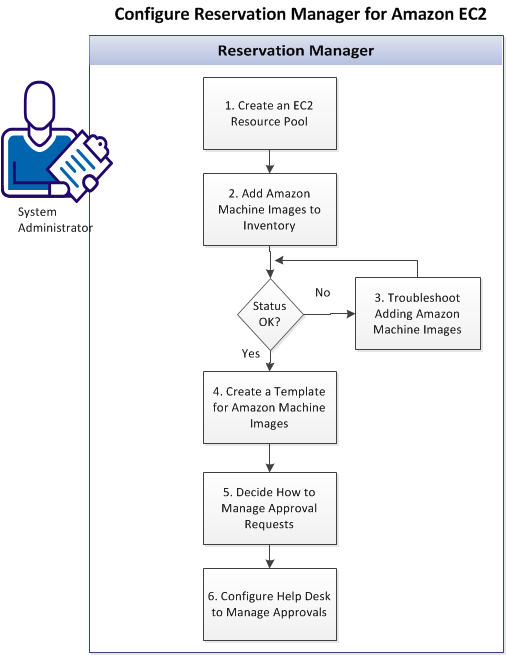
Follow these steps:
- Create an EC2 Resource Pool
- Add Amazon Machine Images to Inventory
- Troubleshoot Adding Amazon Machine Images (if Necessary)
- Create a Template for Amazon Machine Images
- Decide How to Manage Help Desk Requests
- Configure Help Desk to Manage Approvals
Copyright © 2013 CA.
All rights reserved.
|
|