

This section shows CA CloudMinder Tenant Administrators how to provision users from CA CloudMinder to Office 365, as well as how to configure Single Sign-On to Office 365.
Important! The CSP Administrator needs to complete their tasks before the Tenant Administrator can complete the tasks detailed in this section. Coordinate with your CSP Administrator to make sure their tasks are complete before you start.
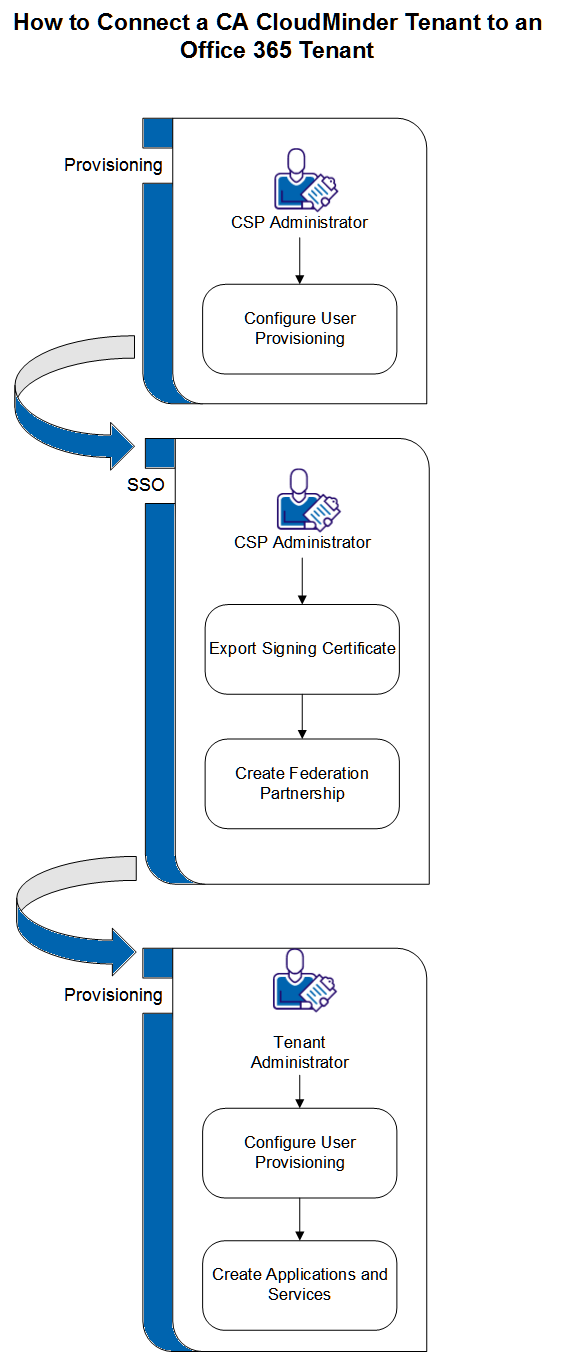
The process involves tasks needed for provisioning as well as for single sign-on. These steps, and who performs them, appear below.
Provisioning Steps, and who does them:
SSO Steps, and who does them:
Tenant Admin Prerequisites
Before you begin, you need:
Note: This cannot be a subdomain (ex: sub.example.com)
and
This domain must be on the Internet.
Install the following required software:
Required Information
You need the following information in multiple places to complete the configuration.
|
Placeholder |
Example |
Source |
Description |
|
[appId] |
msol |
Tenant Administrator |
CA CloudMinder Application ID |
|
[baseUrl] |
https://forwardinc.example.com |
CSP Administrator |
Base URL of CA CloudMinder |
|
[certificate] |
MII….pem encoded certificate…Tg== |
Certificate vendor or CSP Administrator |
X.509 Certificate and private key for digitally signing federation assertions |
|
[connectorServerPassword] |
secret |
Tenant Administrator |
Password for the On-Premise Connector Server Admin UI |
|
[disambiguationId] |
forward-ca |
CSP Administrator |
CA CloudMinder WS-Federation Disambiguation Id |
|
[domain] |
forward.ca |
Domain Administrator |
Public internet domain |
|
[entityIdLocal] |
forwardWSFED |
CSP Administrator |
CA CloudMinder Entity ID |
|
[msolAdminId] |
admin@forward.onmicrosoft.com |
Microsoft Online |
Username of the Microsoft Online Tenant Administrator |
|
[msolAdminPassword] |
secret |
Microsoft Online |
Password of the Microsoft Online Tenant Administrator |
|
[partnershipId] |
forwardWSFED_msolWSFED |
CSP Administrator |
The name of the CA CloudMinder federation partnership |
|
[ruleStringImmutableId] |
%UCU04% |
CSP Administrator |
The provisioning rule string for ImmutableID |
|
[serviceName] |
Office 365 |
Tenant Administrator |
User-friendly name for accessing Office 365 |
|
[tenantAdmin] |
tenantAdmin |
CSP Administrator |
A Tenant Administrator |
|
[tenantAdminPassword] |
secret |
Tenant Administrator |
The password of the [tenantAdmin] |
|
[tenantId] |
forward |
Tenant Administrator |
CA CloudMinder Tenant ID |
|
Copyright © 2015 CA Technologies.
All rights reserved.
|
|