

Object Actions are only available for certain objects and are used to let CA SYSVIEW subcommands issue an action related to the object. The object actions available for an object relate to specific functionality of the object, like adding a data set to the APFLIST.
To add a data set name and volser to the APFLIST using the AFPLIST Object
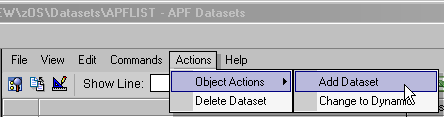
The Object Action Parameter dialog displays.
The dialog refreshes and shows the results; in this case the message confirms the entry is added.
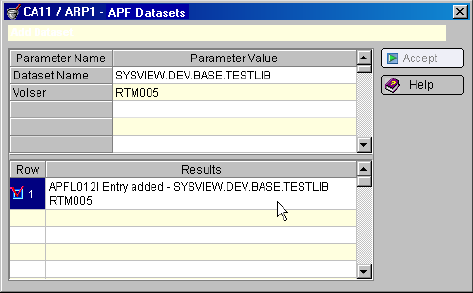
Example: Data Set Name and Volser added to the APFLIST Object
This example shows the new data set name and volser included in the APFLIST Object display.
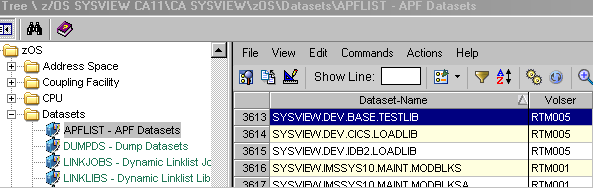
Note: The object display may automatically update. A message appears instructing you to refresh the object display to see the results.
|
Copyright © 2013 CA.
All rights reserved.
|
|