Previous Topic: Upgrade to the Current ReleaseNext Topic: Take Backups and Prepare for the Outage


How to Upgrade CA Process Automation

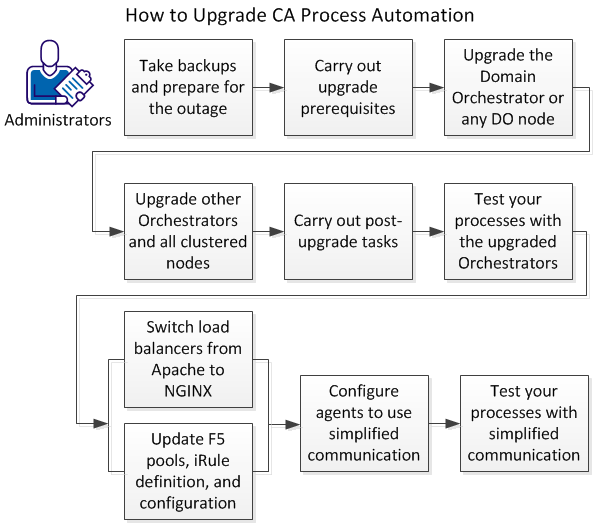
You can upgrade to CA Process Automation Release 4.2 from Release 3.1 SP01 and above using the illustrated process.

itpam--HowToUpgradeCAProcessAutomation--OTH

Important!

Follow these steps:

  1. Take backups and prepare for the outage.
  2. Carry out upgrade prerequisites.
  3. Upgrade the Domain Orchestrator.
  4. Upgrade other Orchestrators and all clustered nodes.
  5. Carry out post-upgrade tasks.
  6. Test your processes with the upgraded Orchestrators.
  7. One of the following:
  8. Configure agents to use simplified communication.
  9. Test your processes with simplified communications.