Previous Topic: CA Process Automation Installation on Dual Stack (IPv4 and IPv6) Network EnvironmentsNext Topic: Unable to Create Runtime Database


Slow Performance Using MySQL

Symptom:

When I install CA Process Automation using MySQL or Oracle as the database, I notice performance is lacking.

Solution:

Post-installation, modify the oasis-ds.xml file to enhance CA Process Automation performance.

Follow these steps:

  1. Locate and open the oasis-ds.xml file, located in:
    install_dir/server/c2o/ext-deploy
    
  2. Uncomment the following lines:

    Lines to uncomment in oasis-ds.xml

  3. Comment the following lines:

    Lines to comment in oasis-ds.xml file

    The updated file should look like this:
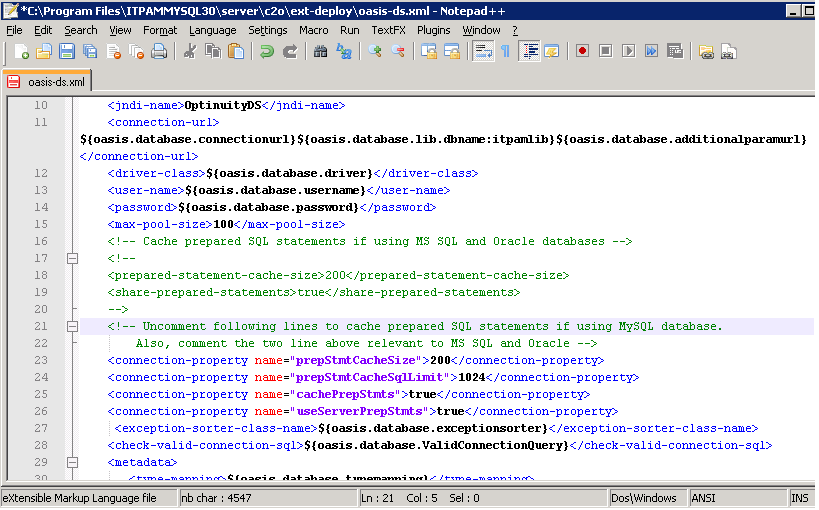
    Updated oasis-ds.xml file

  4. Restart the Orchestrator.

