

To retrieve all the start request forms in the CA Process Automation library, call the PAM REST API contained in the CA Catalyst Container.
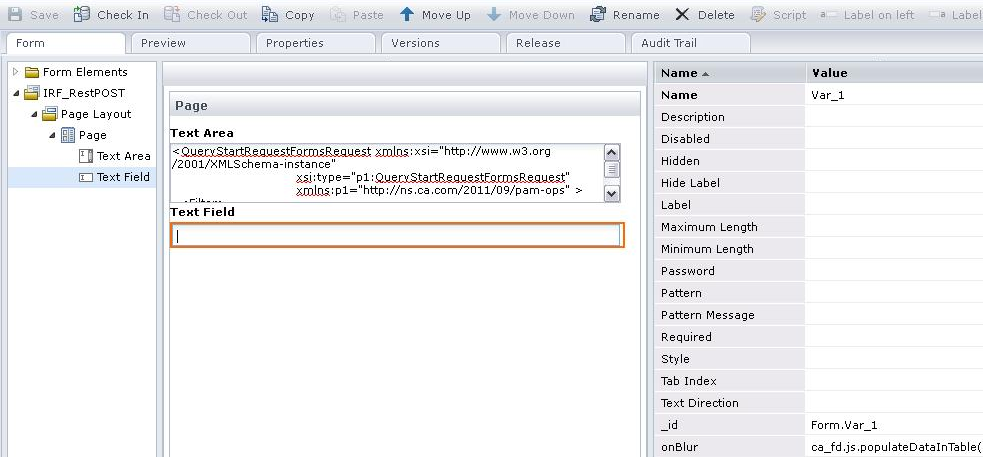
{
  sample : function()
  {
	var callBack = new Object();
	callBack.onSuccess = function(result)
	  {
		alert(result);
	  }

	  callBack.onFailure = function(caught)
		{
		  alert(caught);
		}

var headers = new Object();
var contentType="application/xml";
ca_pam_getDataFromRESTPostHTTPAuthentication('https://<hostName>:<PortNumber>/node/rest/CA:00074:01/_ops/QueryStartRequests',useName password,<requestBody>,contentType,true,headers,callBack);
  }
}
The Request body is as follows:
<QueryStartRequestFormsRequest xmlns:xsi="http://www.w3.org/2001/XMLSchema-instance"
                               xsi:type="p1:QueryStartRequestFormsRequest"
                               xmlns:p1="http://ns.ca.com/2011/09/pam-ops" >
  <Filter>
    <LookUpPath>/</LookUpPath>
    <IsRecursive>true</IsRecursive>
  </Filter>
</QueryStartRequestFormsRequest>
The script runs according to the Keyword field onBlur event. The start request form is retrieved according to the specified query body and the REST request made.
|
Copyright © 2013 CA.
All rights reserved.
|
|