|
|
|
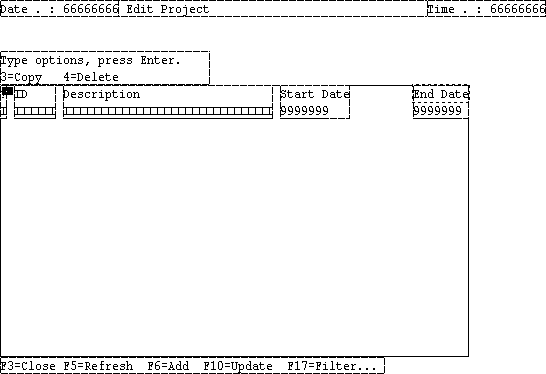
When making changes to a panel, you may need to make a change to more than one control. In the following steps, you will move the Description, Start Date, and End Date fields to the left to make space between the right edge of the End Date field and the edge of the screen.
To change multiple controls:
Notice that the text in the title bar of the Property Sheet changes to Multi‑Select. This indicates that there is more than one component selected in the Design Window. Also, notice that the properties you can change are fewer when you have multiple elements selected; only the properties that they have in common are available.
Note: While dragging the cursor, it may change to a  symbol indicating that the fields cannot be dropped where you have positioned them. Move the mouse down a bit and the cursor should return to normal.
The Design Window should look like this:
| Copyright © 2012 CA. All rights reserved. | Tell Technical Publications how we can improve this information |