

|
|
|

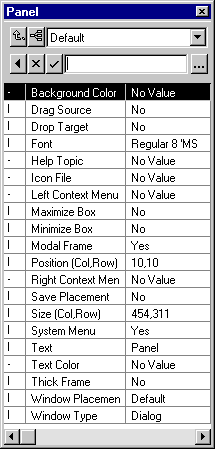
Every element on a panel has a set of properties associated with it, such as its size, color, or position. The Property Sheet shows you the properties of the currently selected element. If no element is selected, the Property Sheet shows you the properties of the panel as a whole (left).
To see what you can change about an element, select the element in the Design Window or the Panel Palette, and check its properties on the Property Sheet. The properties displayed depend on the type of element selected.
For example, you can specify if a button should be included in the tab sequence by setting its Tab Stop property. However, a field label would not ever be included in a tab sequence, so if you select a label, the Property Sheet does not display this property.
| Copyright © 2012 CA. All rights reserved. | Tell Technical Publications how we can improve this information |