

|
|
|
To open the Panel Designer:

Remember that this button is not on the toolbar, but rather is on the Object Browser. Some buttons are on both the Object Browser and the toolbar.

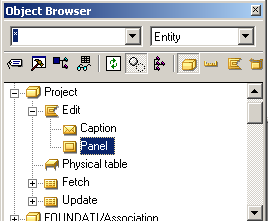

The Panel Designer appears. You can click the Editor button when you select any object. CA Plex always opens the appropriate editor.
The Panel Designer is made up of three windows:
| Copyright © 2012 CA. All rights reserved. | Tell Technical Publications how we can improve this information |