

When your end users enter data, they typically enter data in every field. You can specify that some fields are mandatory, while others are optional. If you do not specify optionality, the default is that they are mandatory.
If end users leave a mandatory field blank and then try to close the dialogs, a message dialog prompts them to enter data for the blank mandatory field and does not let them close the dialog until they do. Since this processing is defined as part of the pattern library and not hard-coded into CA Plex, you can adapt it as required.
To use continuation triples to make fields optional
This focuses the Model Editor on the Project entity, showing only the triples that define that entity.
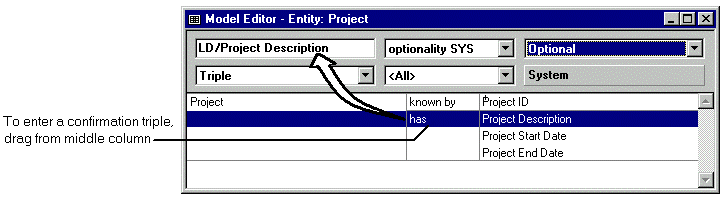
You have entered the continuation triple:
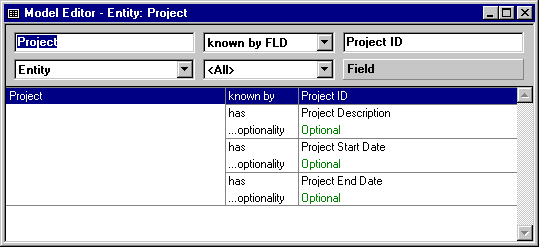
Project has Project Description
...optionality triples Optional
Note: If you do not see this view, click the One Level toolbar button to set the Model Editor to show a single level of information.
The Model Editor will look like this:
|
Copyright © 2014 CA Technologies.
All rights reserved.
|
|