

Performance Manager provides a Disks display when you enter the following command:
PSRT> DISKS
The following illustration is an example of a Disks display:
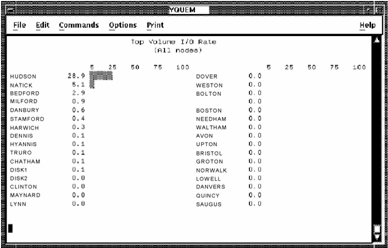
Press PF2 to view the keypad for the Disks display. The following illustration shows the functions of the Disks display keypad.
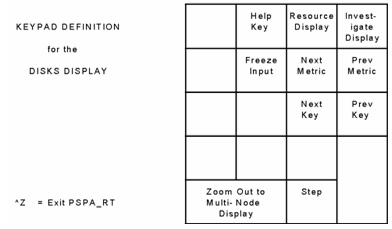
Press KP6 (to scroll through Disk keys and KP9) to scroll through disk metrics. To return to the multi-node display, press KP0.
|
Copyright © 2008 CA.
All rights reserved.
|
|