

To navigate through the list of nodes
The arrow identifies the node you choose to monitor.
Performance Manager displays a single-node screen.
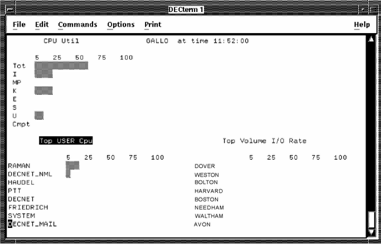
The Performance Manager single-node screen provides the following three sections:
The Process Statistics and Device Statistics sections can be updated with a new set of metrics. The title of the currently selected section is in reverse video. Press KP3 to select a different section.
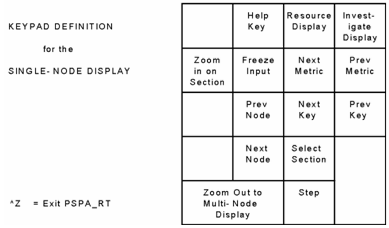
The following table shows the functions of the single-node display keypad:
|
Copyright © 2008 CA.
All rights reserved.
|
|