

Customize the DECwindows Motif Real-time Display › How You Edit the Panel Instruments › Modify the Instruments › Strip Chart
Strip Chart
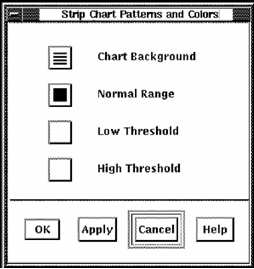
The Strip Chart Patterns and Colors dialog lets you set the pattern and color of the chart with the following attributes:
- Background
- Normal Range
- Low Threshold
- High Threshold
To set the Patterns and Colors for each of these attributes
- Click the appropriate button.
Performance Manager displays the Pattern Editor dialog.
- Click a pattern in the dialog and the selected pattern is displayed in the pattern viewer.
- To change the chart's pattern color, click the Foreground or Background button.
Performance Manager displays a color mixing dialog.
- Click Help for information on how to use the color mixing dialog.
Copyright © 2008 CA.
All rights reserved.
|
|