

Use the following steps to access the Panel Manager:
$ ADVISE PERFORMANCE DISPLAY WINDOWS/MODE=NETWORK
For more information about the DISPLAY WINDOWS command syntax, see the chapter “Performance Manager Commands.”
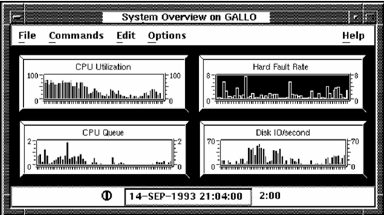
Performance Manager displays the Panel Manager icon and the System Overview panel, as shown in the following screen:
Performance Manager displays the Real-time Panel Manager window, as shown in the following screen:
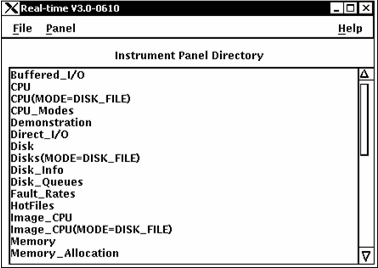
Performance Manager displays the Real-time Panel Manager window, which lets you do the following actions:
|
Copyright © 2008 CA.
All rights reserved.
|
|