

Playback mode lets you display data recorded earlier. Select the Playback item from the File menu in the Panel Manager window.
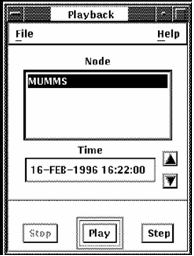
Click the node for which you want to display data.
Time displays the time for which data is being displayed. To select a time from which to display data records, click Stop and then on the time box. Edit the date and time to select the beginning time you want. Click Play to start the display. Alternately, you can click the arrows to the right of the box to increment the time ahead or back.
Click Play to start a continuous display of the data from the time displayed.
Click Step to display data from the next interval.
|
Copyright © 2008 CA.
All rights reserved.
|
|