

To save the binary graph data
Performance Manager displays the Save Graph Data Dialog Box.
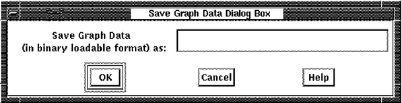
All graph data points are saved, and the file can be reloaded using the Load Graph Data Dialog Box. The save operation does not affect the current selection.
You can also load and save this binary graph data using the DCL command mode interface.
|
Copyright © 2008 CA.
All rights reserved.
|
|