

The Performance Manager software lets the saving of analyzed data required to support graphing functions in a summarized format. To load one of these files and use the graphing options, release on the Load Binary Graph Data menu item. The Performance Manager software displays the Load Graph Data Dialog Box.
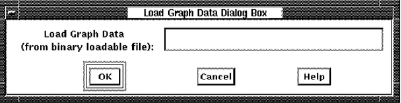
To load the binary graph data
If you previously requested data analysis using an option from the Select menu, access to that analysis data is lost.
Normally Performance Manager data is selected and processed prior to performing any of the display functions available. This selection process can be very time consuming, especially if you have activated all processing options. If, at a later date, you want to view other graphs or pie charts associated with the original selection, you might want to use the SAVE and LOAD graph data features. Otherwise, the only way to recover the selected data, is to reselect. A faster way is to SAVE the selected data so that if later review of the same time period is required, you can use the load function for much faster retrieval of the data.
|
Copyright © 2008 CA.
All rights reserved.
|
|