

In addition to the initial default instrument panels, an icon for the Panel Manager is displayed when you start the Real-time Display. To display the Panel Manager, double-click the Real-time Display icon.
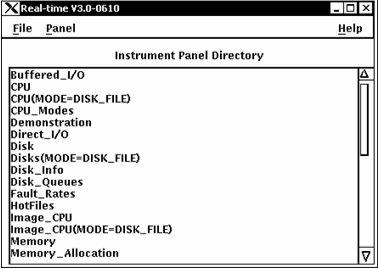
The Panel Manager is the control point for the Real-time Display:
The Panel Manager lists the panels available to you. When you install Performance Manager for the first time, the list contains the names of all the default panels distributed with the Performance Manager.
|
Copyright © 2008 CA.
All rights reserved.
|
|