

To initiate a display of the dump reports through the DECwindows Motif interface
Releasing on a node name opens the Dump window. By default, the configuration record for the first interval record is displayed. From this point the available options are the following:
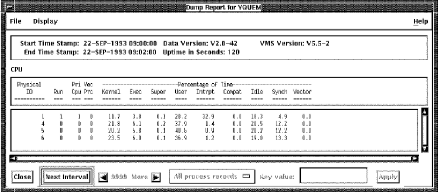
The example shows a dump report:
To select a different record type for display
A list of the possible record types appears in the menu. A set toggle button appears to the left of any currently viewed records. Releasing on a set toggle button removes that record type from the Dump window, while releasing on an unselected record type causes that record to be added to the Dump window. The space required to view the different record types varies considerably. It is left to the user to configure the window as best fits on the screen.
To view the data for the next interval for the selected record types
The ability to view the previous interval is not provided; only forward motion through the file is available. This is because the Performance Agent files are accessed sequentially only. You can restart to the beginning of the interval by closing the Dump window and reselecting the same node.
To close the Dump window
|
Copyright © 2008 CA.
All rights reserved.
|
|