

As a global administrator in a large MSP environment, you are using CA Performance Center and Data Aggregator to manage network performance. In this scenario, you want to create multiple tenant administrator user accounts that can manage subsets of those tenants. You also want to limit the access of these tenant administrators so that they cannot see or edit information outside of their groups.
Note: This scenario assumes you have already created tenants and custom groups.
The Tenant Administrator role is available as a predefined role in CA Performance Center and supports only Data Aggregator data sources. The tenant administrator has, by default, all of the role rights of the CA Performance Center global administrator, plus the role right named Administer Tenants. As such, the Tenant Administrator can create, edit, clone, and delete tenants, and manage user accounts. Tenant Administrators can also perform discovery and manage device collections for tenants. However, you can edit the role rights to reduce the amount of access.
Tenant administrators do not have access to any groups in the Default Tenant workspace or domain. However, the My Custom Groups feature can be enabled for any tenant administrator to make it easier for them to manage their assigned tenant groups.
The following diagram shows the recommended workflow:
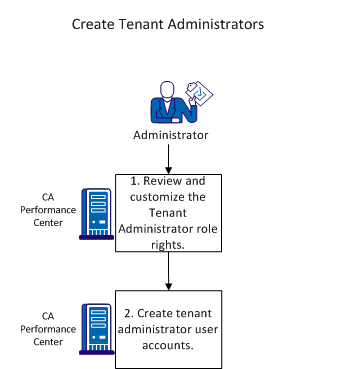
To create a tenant administrator:
Note: To perform these procedures, you must have the predefined Administrator role (also known as the global administrator).
|
Copyright © 2015 CA Technologies.
All rights reserved.
|
|