

A global administrator must perform the initial steps to set up a multi-tenant deployment in CA Performance Center. A global administrator is associated with the Default Tenant and has access to all tenant configuration parameters. The predefined Administrator role enables global administrator access for a user account.
Before you create a tenant in CA Performance Center, we recommend working closely with the customer. Collect some basic information about the customer environment. For example, you need to know the IP domains to be monitored for this customer. Some knowledge of physical and virtual system topology is useful for creating a custom grouping structure to represent the customer environment.
Select a user to act as the tenant administrator. This person should have broad knowledge of the customer systems and networks. The designated tenant administrator can then complete the tenant configuration by creating custom groups, roles, users, SNMP profiles, menus, and dashboards.
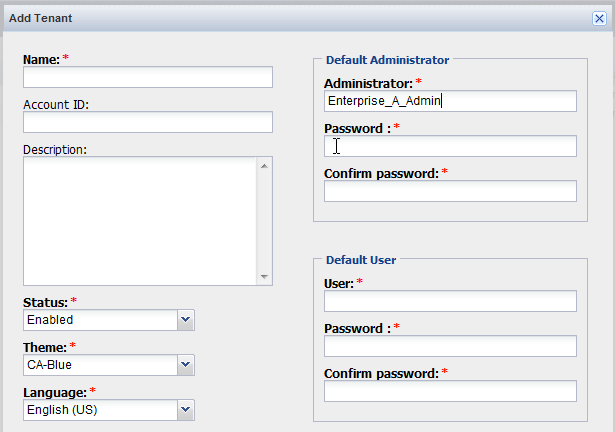
To set up a new tenant, take the following steps:
As part of tenant creation, you also create a tenant user account with administrative privileges.
Note: If data collection is already taking place, tenant system groups will be automatically created and populated with data from this domain. With groups already available, you can allocate access permissions to tenant users.
The designated tenant administrator can then log in. This user can set up all other tenant configuration (any custom groups, roles, users, menus, and dashboards that the tenant requires).
|
Copyright © 2015 CA Technologies.
All rights reserved.
|
|