

Administrators and designers can customize menus to meet the requirements of each CA Performance Center operator. When you edit custom or factory menus, you can add new dashboards, remove dashboards, and change the order of the dashboards in the menu.
Follow these steps:
The Manage Menus page displays the current list of menus.
The Edit Menu dialog opens.
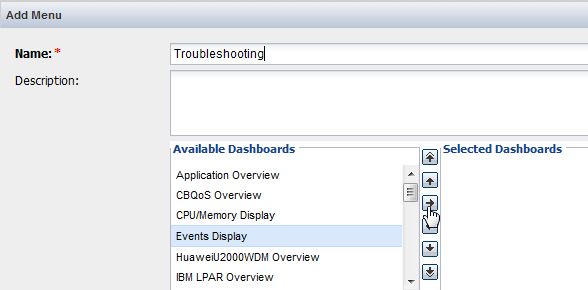
Note: A maximum of 20 dashboards can be assigned to a single menu. An error message appears if you try to add more than 20 dashboards.
The dashboard is available from the selected menu.
|
Copyright © 2013 CA.
All rights reserved.
|
|