

|
|
|
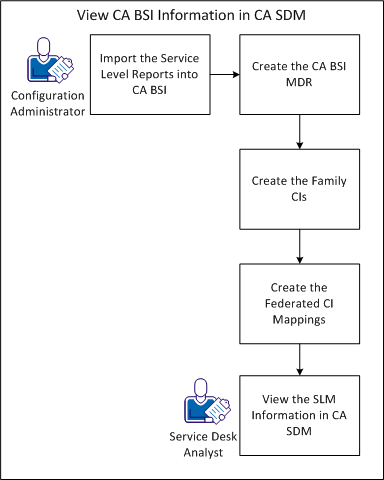
An organization wants to improve the management of changes to IT services and decides to integrate CA BSI and CA SDM. The integration lets CA BSI export Service Level Management (SLM) information into CA SDM. The Configuration Administrator imports the reports into CA BSI and configures CA SDM so that a Service Desk Analyst can view the SLM information. Service Desk Analysts work with this information to improve IT service delivery.
The following diagram explains how a Configuration Administrator enables CA BSI to export SLM data to CA SDM so that a Service Desk Analyst can view the information:
| Copyright © 2012 CA. All rights reserved. | Tell Technical Publications how we can improve this information |