Previous Topic: Access Monitors

Next Topic: Diagnose Network Problems


View Performance Results

Use this procedure to view the performance history of a stack.

To display performance information

  1. Click Performance Center, IP Stacks, FTP Connections.

    The Stack FTP Performance page appears.

  2. Click the Attributes tab, select a TCP/IP stack from the drop-down list, and click Execute.

    The Stack FTP Performance Results appear.
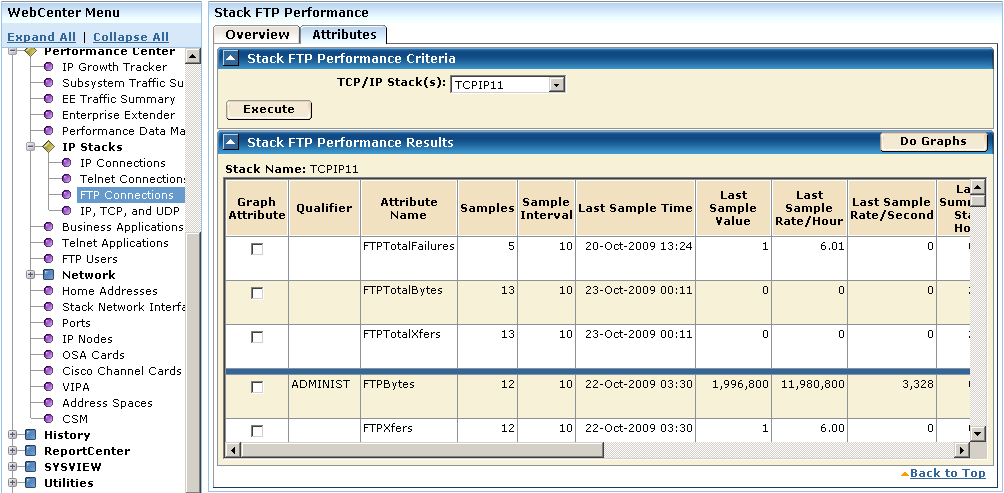
    The results show the sampled values for the FTP attributes monitored for the TCPIP11 stack.

  3. Select the Graph Attribute check box for one of the attributes, and click Do Graphs.

    The page is refreshed, and detail and summary graphs of the selected attribute appears, showing the sampled values over time.