

|
|
|
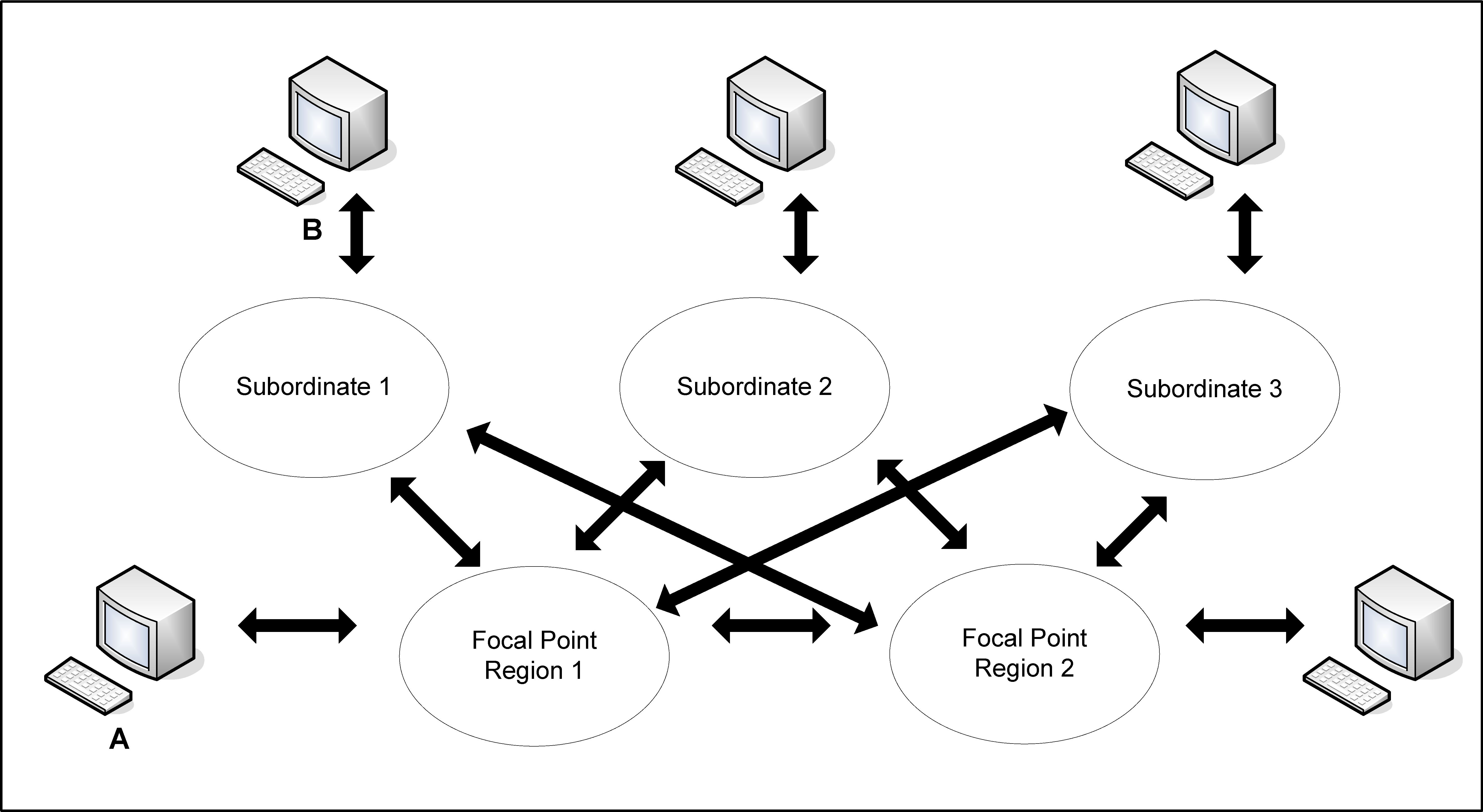
If you have multiple systems, deploy CA NetMaster NM for TCP/IP in a multisystem environment to provide a consolidated view of your enterprise.
The following diagram shows an example of a multisystem environment. Logging on to Console A allows visibility to all resources. Logging on to Console B allows visibility to the subordinate system image only.
Business Value:
Particularly in large multisystem environments, deployment can be both arduous and time consuming. Following an effective and proven process has the following values:
Additional Considerations:
We recommend that you use the CA MSM SDS to deploy the product SMP/E target libraries to the remote systems.
Note: For more information about SDS, see the CA Mainframe Software Manager Product Guide.
You set up and configure the product once, typically on a test system, which becomes the deployment system. After the product is configured, you create backup data sets for the configuration files. You can then use SDS to deploy the product target libraries and at the same time, the backup data sets as custom data sets. On the remote system, you can restore the configuration files from the deployed backup data sets.
| Copyright © 2012 CA. All rights reserved. |
|