This section contains the following topics:
RMFFRM - z/OS Central Storage Daily Frame Use by SYSID
RMFPAG - z/OS System Daily Paging Analysis
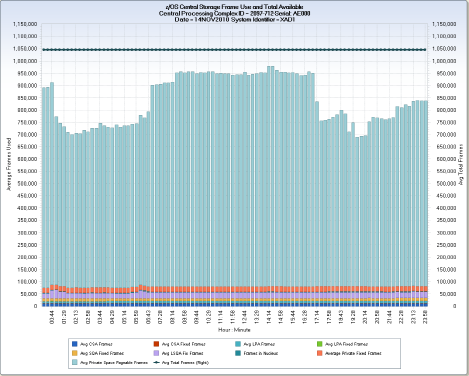
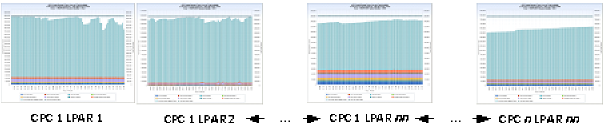
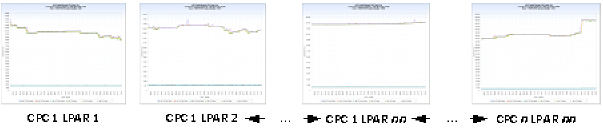
The RMFFRM query shows how central storage 4k page frames are used for each z/OS LPAR in each Central Processing Complex (CPC). The query produces five data extracts. The primary data extract provides a view of overall average central storage page frame usage at the RMF interval level (DETAIL timespan) or hourly level (DAYS timespan). The view uses vertical bars, stacked by central storage frame type. A horizontal reference line shows the total central storage page frames available to the LPAR. The white space between the top of the bars and the horizontal reference line represents available central storage page frames. The four additional data extracts show the minimum, average, and maximum page frame usage for four categories of storage types: CSA, LPA, Private, and SQA.
The first chart above shows interval level (15 minute) page frame use for a z/OS LPAR running on an IBM z/10 2097-712 CPC.
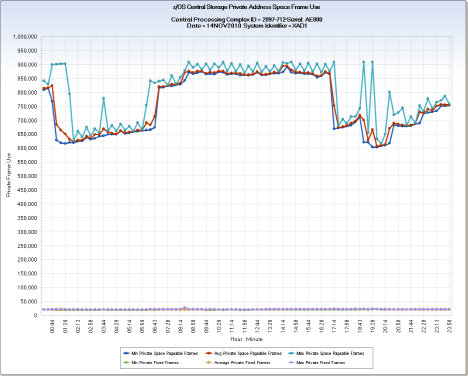
The second chart shows the minimum, average, and maximum fixed and pageable frame usage for private central storage frames on the same LPAR and CPC.
These charts show how z/OS LPARs use the real memory in central storage. Lack of sufficient real memory to handle workload requirements can result in excessive paging between central storage and auxiliary storage—which results in less than optimal performance. These charts help to understand how real memory is used, and can assist in identifying systems that are experiencing performance degradation due to insufficient central storage to satisfy workload requirements.
z/OS Central Storage Daily All Frame Use
PAGAVP – Avg CSA Frames
PAGAVC – Avg CSA Fixed Frames
PAGAVLP– Avg LPA Frames
PAGAVLF – Avg LPA Fixed Frames
PAGAVQ – Avg SQA Fixed Frames
PAGAVLS – Avg LSQA Fixed Frames
PAGFIN – Frames in Nucleus
PAGAVR – Average Private Fixed Frames
PAGAVS – Avg Private Space Pageable Frames
PAGAVT – Avg Total Frames
HHMM – Hour : Minute
Data element HHMM is derived by concatenating the HOUR and MINUTE of each RMF interval together, separated by a colon, HH:MM (for example, 14:59 meaning hour 14, 59th minute).
z/OS Central Storage Daily CSA Frame Use
PAGMNC – Min CSA Fixed Frames
PAGAVC – Avg CSA Fixed Frames
PAGMXC – Max CSA Fixed Frames
PAGMNP – Min CSA Frames
PAGAVP – Avg CSA Frames
PAGMXP – Max CSA Frames
HHMM – Hour : Minute
Data element HHMM is derived by concatenating the HOUR and MINUTE of each RMF interval together, separated by a colon, HH:MM (for example, 14:59 meaning hour 14, 59th minute).
z/OS Central Storage Daily LPA Frame Use
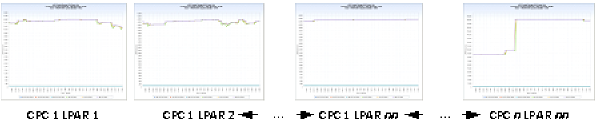
PAGMNLF – Min LPA Fixed Frames
PAGAVLF – Avg LPA Fixed Frames
PAGMXLF – Max LPA Fixed Frames
PAGMNLP – Min LPA Frames
PAGAVLP – Avg LPA Frames
PAGMXLP – Max LPA Frames
HHMM – Hour : Minute
Data element HHMM is derived by concatenating the HOUR and MINUTE of each RMF interval together, separated by a colon, HH:MM (for example, 14:59 meaning hour 14, 59th minute).
z/OS Central Storage Daily Private Frame Use
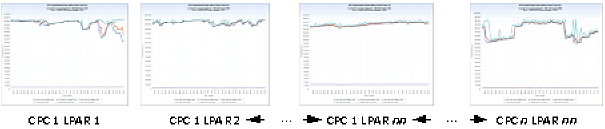
PAGMNS – Min Private Space Pageable Frames
PAGAVS – Avg Private Space Pageable Frames
PAGMXS - Max Private Space Pageable Frames
PAGMNR – Min Private Fixed Frames
PAGAVR – Average Private Fixed Frames
PAGMXR – Max Private Fixed Frames
HHMM - Hour : Minute
Data element HHMM is derived by concatenating the HOUR and MINUTE of each RMF interval together, separated by a colon, HH:MM (for example, 14:59 meaning hour 14, 59th minute).
z/OS Central Storage Daily SQA Frame Use
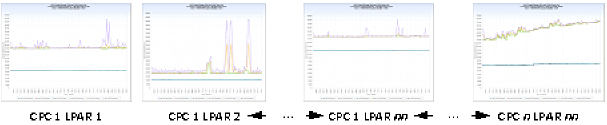
PAGMNQ – Min SQA Fixed Frames
PAGAVQ – Avg SQA Fixed Frames
PAGMXQ – Max SQA Fixed Frames
PAGMNLS - Min LSQA Frames
PAGAVLS – Avg LSQA Frames
PAGMXLS – Max LSQA Frames
HHMM – Hour : Minute
Data element HHMM is derived by concatenating the HOUR and MINUTE of each RMF interval together, separated by a colon, HH:MM (for example, 14:59 meaning hour 14, 59th minute).
TRIM(LPCMOD)||'-'||TRIM(CPCMODID)||'-Serial: '||SUBSTR(CPCSEQNB,12,5);
DATEPART(ENDTS);
PUT(HOUR(ENDTS),Z2.) || ':' || PUT(MINUTE(ENDTS),Z2.);
The following modifications can be made to the RMFFRM query:
| Copyright © 2011 CA. All rights reserved. | Email CA Technologies about this topic |