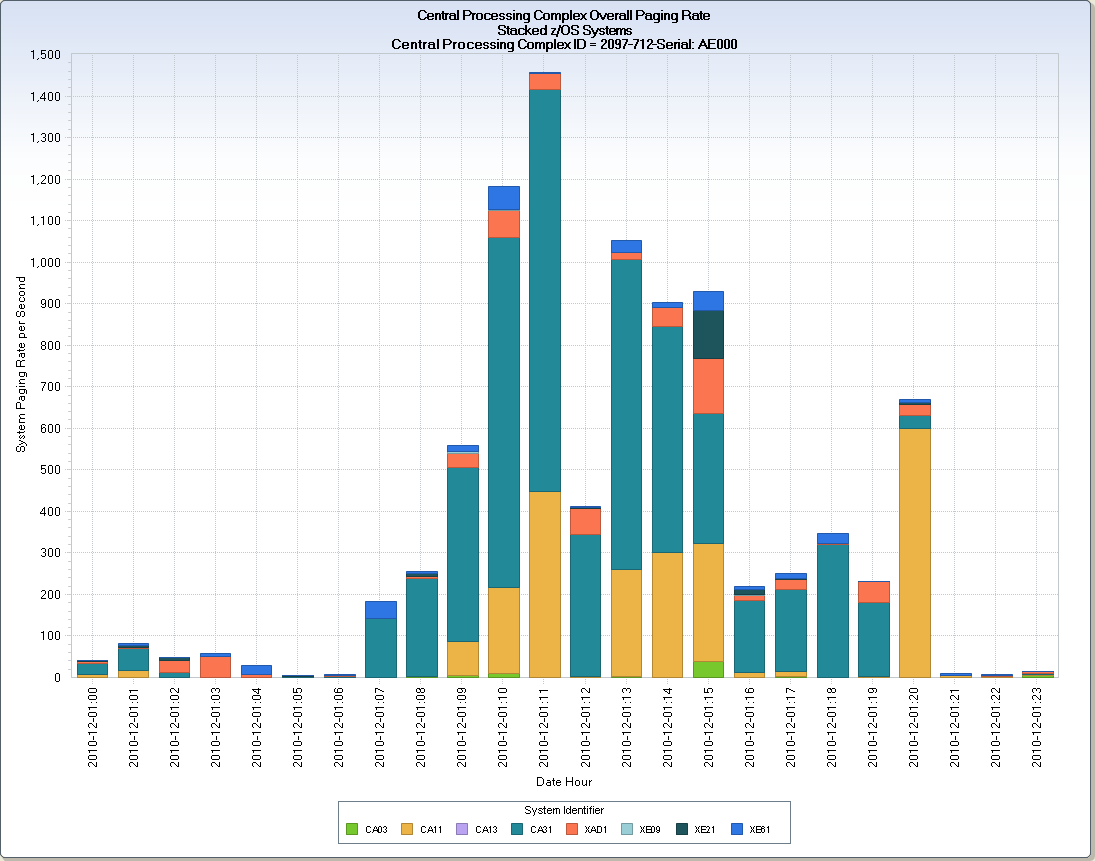
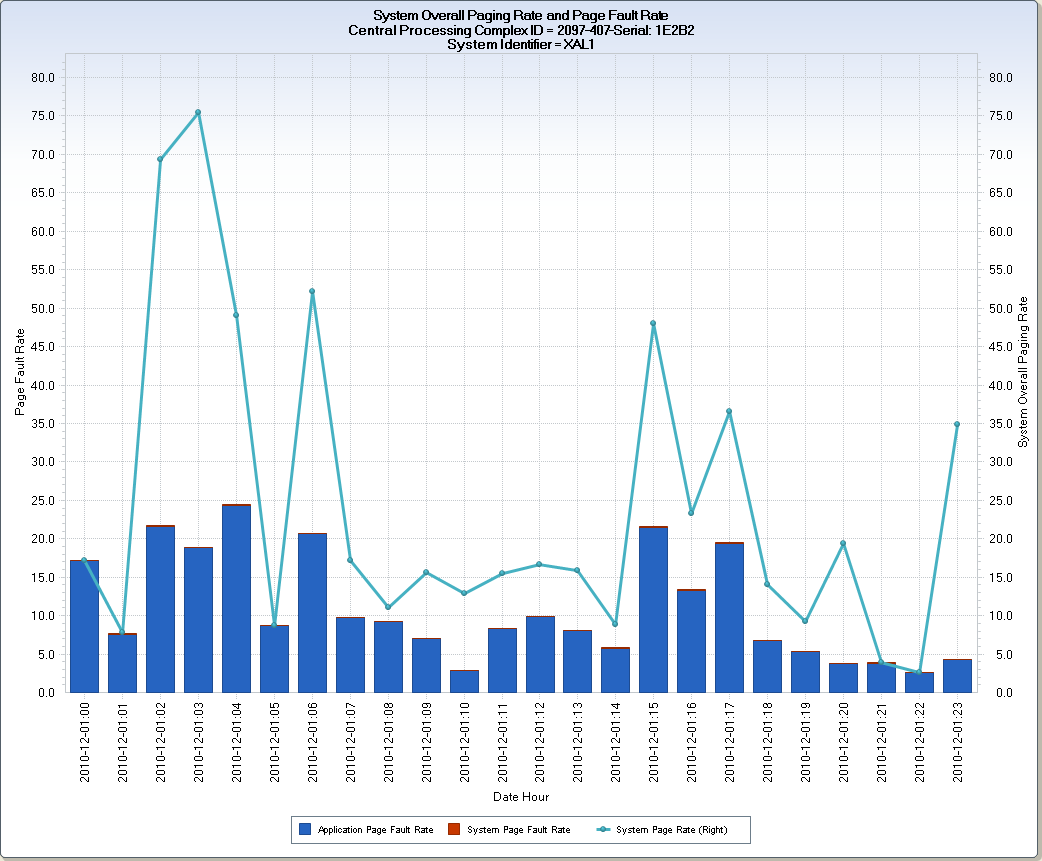
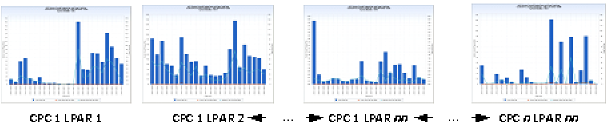
The RMFPAG query shows paging rates for z/OS LPARs in each Central Processing Complex (CPC). The query produces three data extracts. The first data extract shows the hourly paging rate for all of the z/OS LPARs in each CPC a single chart view, with the contribution of each z/OS system shown in a stacked vertical bar. The second and third charts show the overall paging rate, and system and application page faults using two different views. One view displays the overall paging rate as vertical bars with system and application page faults shown with lines, and another view displays the application and system page faults using a stacked vertical bar and the overall system paging rate is show with a line.
The first chart shows the hourly overall system paging rate for the z/OS LPARs running on an IBM z/10 2097-712 CPC.
The second chart shows overall system per-second paging rate for each hour, for an individual z/OS LPAR using a line. The per-second application and system page fault rates are shown for each hour using stacked vertical bars.
Paging is essential and normal for the z/OS operating system. High per-second paging rates can indicate insufficient CPC central storage. Page faults result in workload delays. A program must wait for a page to be moved from auxiliary storage to central storage to continue executing. High page fault rates at the LPAR level can indicate insufficient central storage allocation for the LPAR.
z/OS CPC Daily Paging Rate
PAGPSSPC – System Page Rate
DATEHOUR – Date Hour
Data element DATEHOUR is derived by concatenating the Date, expressed using the YYMMDDD10. FORMAT with the HOUR, separated by a colon: YY-MM-DD:HH.
z/OS System Daily Page Rate and Faults V1
PAGPSAPF – Application Page Fault Rate
PAGPSSPF – System Page Fault Rate
PAGPSSPC – System Page Rate
DATEHOUR – Date Hour
Data element DATEHOUR is derived by concatenating the Date, expressed using the YYMMDDD10. FORMAT with the HOUR, separated by a colon: YY-MM-DD:HH.
z/OS System Daily Page Rates and Faults V2
PAGPSSPC – System Page Rate
PAGPSAPF – Application Page Fault Rate
PAGPSSPF – System Page Fault Rate
DATEHOUR – Date Hour
Data element DATEHOUR is derived by concatenating the Date, expressed using the YYMMDDD10. FORMAT with the HOUR, separated by a colon: YY-MM-DD:HH.
TRIM(LPCMOD)||'-'||TRIM(CPCMODID)||'-Serial: '||SUBSTR(CPCSEQNB,12,5);
DATEPART(ENDTS);
PUT(HOUR(ENDTS),Z2.) || ':' || PUT(MINUTE(ENDTS),Z2.);
The following modifications can be made to the RMFPAG query:
| Copyright © 2011 CA. All rights reserved. | Email CA Technologies about this topic |