

|
|
|
The Load Jobs dialog lets you select and display jobs from the Job Management Manager database.
You select jobs to display by filling in one or more of the fields in the window. You can use wildcard characters (*) in any of these fields.
The jobs you select from the Load Jobs dialog are displayed in both Jobs windows.
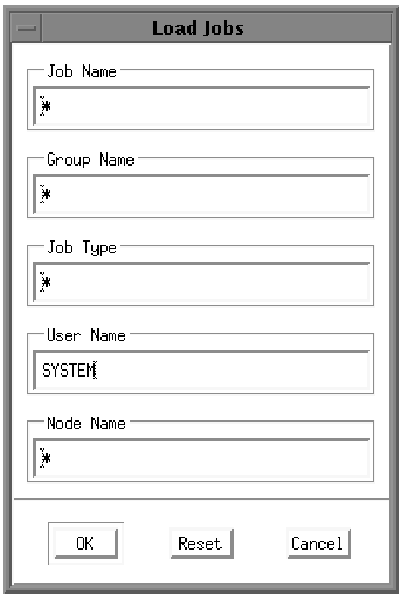
Clicking OK when the fields are filled in as shown in the figure is equivalent to entering either of the following DCL commands:
$ SCHEDULE SHOW JOBS/USER_NAME=SYSTEM/GROUP=*/TYPE=*/CLUSTER_NODE=*
$ SCHEDULE SHOW JOBS/USER_NAME=SYSTEM
The Load Jobs dialog is displayed when you start the Motif interface to Job Management Manager. You can display this dialog at any time during your session by clicking the Load Jobs... button in the Graphical or Linear Display window.
Refer to Loading Jobs to Display for more information about how to use the Load Jobs dialog to select jobs to display.
| Copyright © 2012 CA. All rights reserved. | Tell Technical Publications how we can improve this information |