

|
|
|
To start the manager with the Motif interface, enter the following command at the DCL prompt:
$ SCHEDULE/INTERFACE=DECWINDOWS
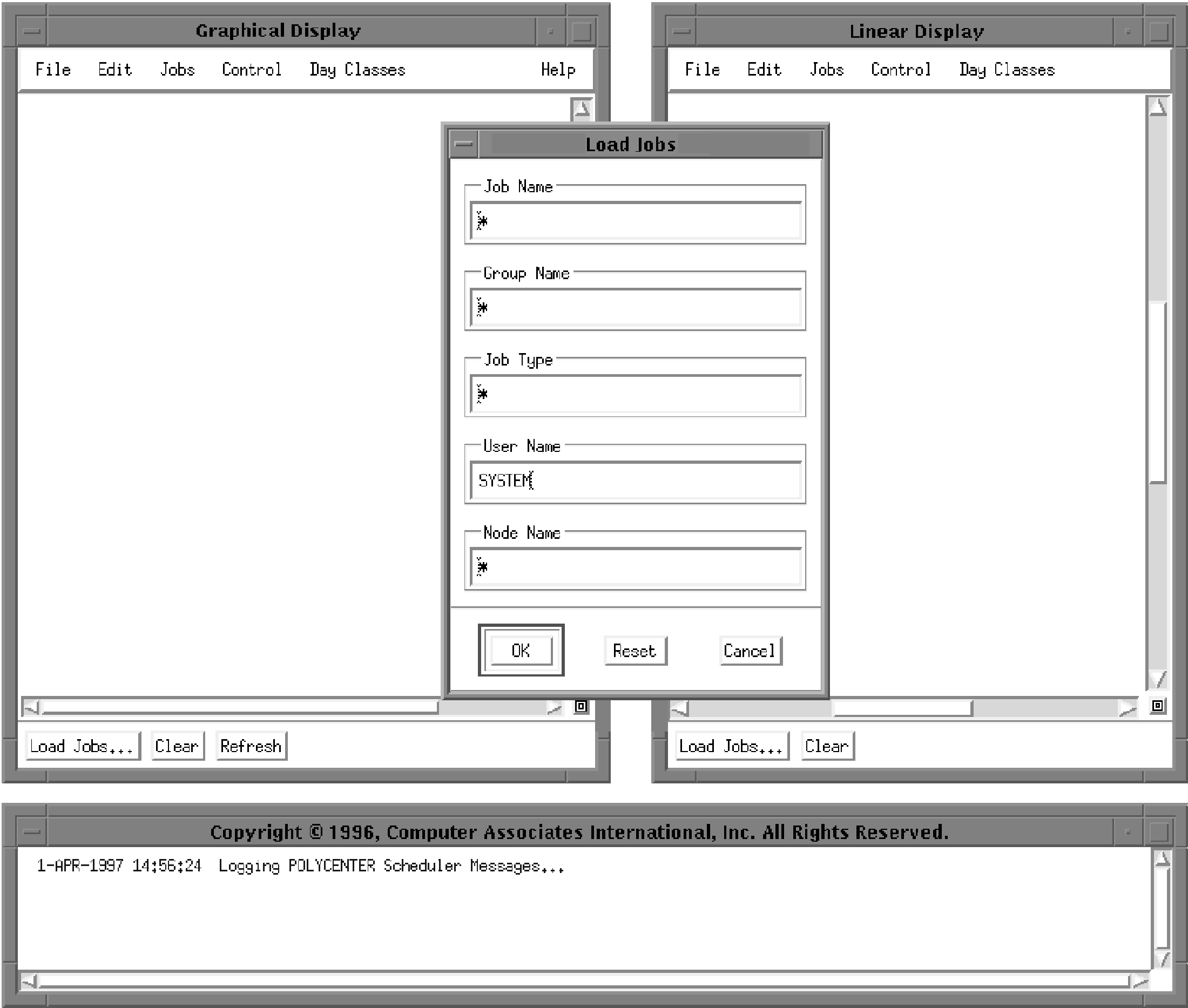
Three windows and a dialog are displayed, as shown in the following figure. The Graphical Display window, Linear Display window, and Real Time Messages Display window have scroll bars for scrolling through displayed information. You can also resize them or minimize them (shrink them to icons).
| Copyright © 2012 CA. All rights reserved. | Tell Technical Publications how we can improve this information |