

Connector Guides › Connectors Guide › Connecting to Endpoints › Microsoft Exchange Connector › How to Connect to Exchange 2007 (Agentless)
How to Connect to Exchange 2007 (Agentless)
The following diagram shows the tasks that are required to connect to the endpoint, and who does each task. It shows the process for connecting to Exchange 2007 without an agent on the endpoint.
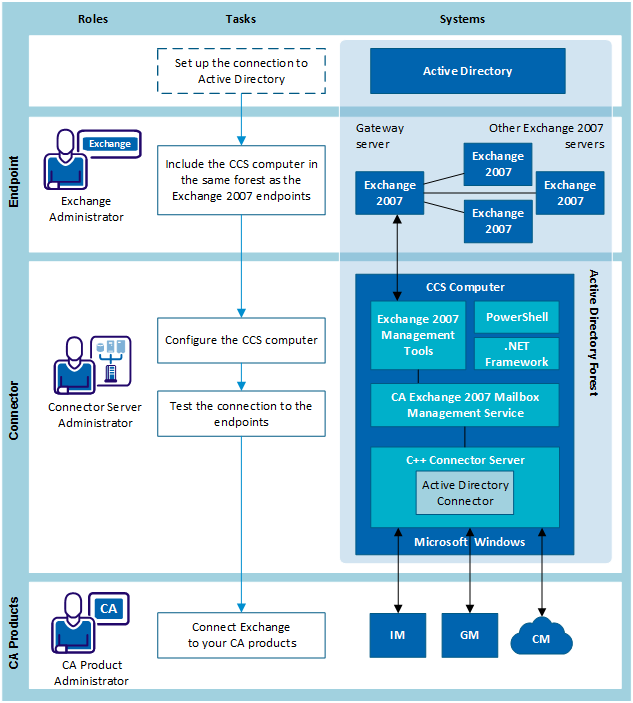
- Before you start, set up the connection to Active Directory.
- The Exchange administrator configures the Exchange 2007 endpoints.
- The connector server administrator does the following steps:
- Configure the CCS computer.
- Test the connection to Exchange 2007.
- The administrator of each CA product connects to Exchange.
Copyright © 2014 CA.
All rights reserved.
|
|