

You can configure the user-specific files in the same way as the common product files, using the version-dependency button and the reference counter-dependency button. In addition, two options are available for user-specific product files, as follows:

This option protects user-specific files against overwriting by newly installed software. For example, if a user has already created a dictionary for office applications and a more recent office application is to be installed, this option ensures that the user's dictionary file is not overwritten by the application's default dictionary.

This option helps the user to keep a user-specific file (for example, a dictionary) on the target computer even if the application to which it belongs is uninstalled. The dictionary file may also be useful for other applications that remain on the target computer.
The following screenshot shows a sample User Files and Directories tab:
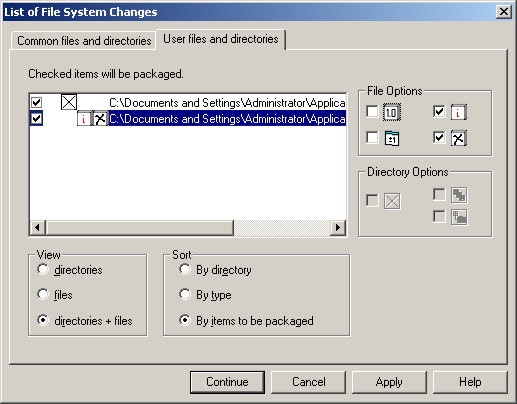
The settings on the User files and directories tab of the List of File System Changes dialog are applied to the product in the ufiles.sxp and udirs.sxp archive files.
|
Copyright © 2013 CA.
All rights reserved.
|
|