

The Delivery Location tab specifies where the XML files produced by the CA Asset Converter for Microsoft SCCM task are to be placed. This would typically be the collection folder of an Asset Collector installation.
Use the following procedure to configure the Delivery Location.
To Configure the Delivery Location
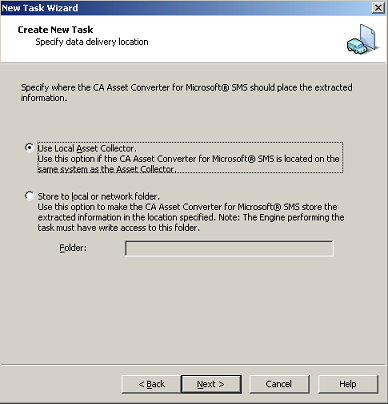
Specifies that the files are written to the collection folder of the Asset Collector running on the same computer as the CA Asset Converter for Microsoft SCCM task. This is the default setting.
Note: If the computer has no Asset Collector installed, the CA Asset Converter for Microsoft SCCM task will fail.
Specifies that the files are placed in the specified local or network folder.
For example, in the following illustration, the Use Local Asset Collector option is selected:
|
Copyright © 2013 CA.
All rights reserved.
|
|