

Customizing Asset Management › Asset Collector › Security › How the Digitally Signed Inventory Files Are Verified
How the Digitally Signed Inventory Files Are Verified
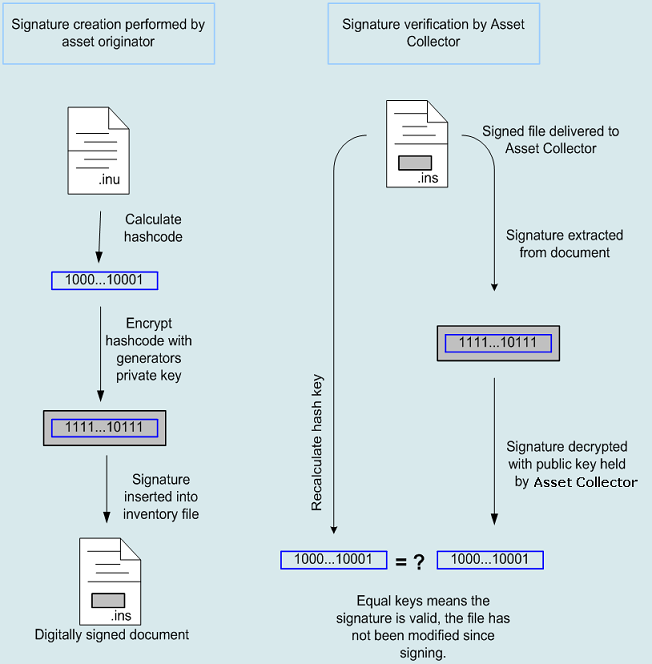
The following process explains how the digitally signed inventory files are handled.
- The Administrator creates certificates and installs certificates on a machine where inventory files will be signed and public keys on the Asset Collector where the signature will be verified.
- The inventory file is signed using the invsign.exe tool.
For more information, see invSign—Sign, Verify, or Unsign an Inventory File.
- The inventory file is delivered to the Asset Collector Collection folder where the asset collector will validate the signature using the previously installed public key.
Important! Do not modify a signed file as it corrupts the binary information that makes up the signature.
The following illustration depicts this process:
Copyright © 2013 CA.
All rights reserved.
|
|