

This section lets you create a user-defined group containing various attributes, under the Additional folder of the machine inventory:
Example: User-Defined Group
The following code shows an example of a user-defined group.
<hardware>
<group name="Biometrics">
<group name="Retina Scanner">
 		<attribute name="Manufacturer" type="string">Eye Ball UK Inc.</attribute>
  		<attribute name="Model" type="string">EyeReader 1.0</attribute>
</group>
  	</group>
</hardware>
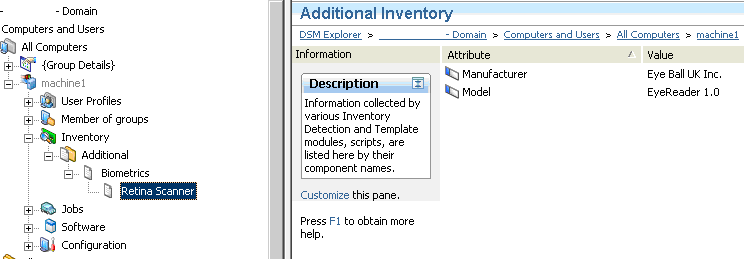
The following illustration shows how the user-defined hardware inventory file section looks when viewed in the DSM Explorer.
|
Copyright © 2013 CA.
All rights reserved.
|
|