

Policy actions define the actions to be taken when a policy is violated. For example, you may want a message to be sent to any users when they reach a certain threshold in storage space. You can also execute the policy actions when the asset no longer violates the policy.
Note: For more details about policy actions, see the Asset Management section of the DSM Explorer Help.
Displays an Alarm on the DSM Explorer. You can construct message texts as with Event Log.
Creates a Display Message Job on the agent. You can construct message texts as with Event Log.
Schedules a specified job to be executed on a violating asset. The job runs the next time the agent runs.
Runs a selected application on the engine when an asset triggers a policy.
Adds the asset to a specified domain group.
Appends text to the TXT file containing the message text generated by the engine when the policy occurs. You can construct message texts as with Event Log.
Sends an MAPI email to the specified recipients. You can construct message texts as with Event Log.
Note: The mail client must be running to make any email policies work.
Removes the asset from the System.
Logs policy notification in the System Event Log. You can construct a message text to appear in the policy notification. For example, $NAME$::$TYPE$ will display the specific Asset Name, and Asset Type as found in the database, in the Message Text. This text is contained in the text file of a notification, which is triggered by the Engine when the policy occurs.
Logs the policy notification in the Unicenter Event Console. You can access the event console from Tools, Unicenter, Event Console menu in the DSM Explorer.
Note: The Engine generates the log entry on the computer on which it is installed.
Runs the Intel AMT remote commands on the Intel AMT assets when the policy is violated. These commands let you control the Intel AMT assets.
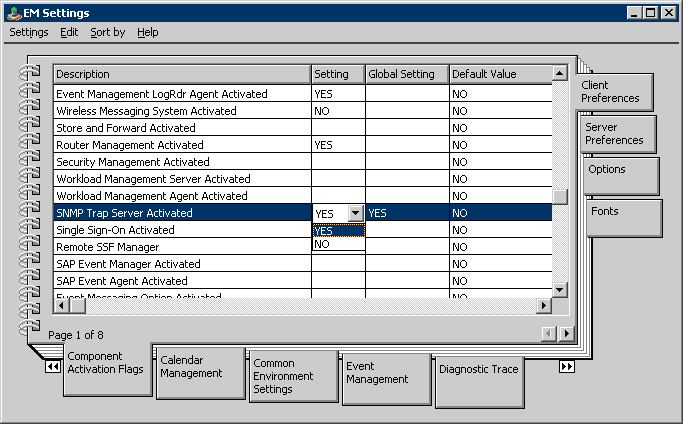
Triggers an SNMP Trap. You can construct message texts as with Event Log. SNMP traps are used in combination with Unicenter Enterprise Management enabling integration between the CA products.
Note: You must have installed the SNMP functionality on the asset which is typically a Windows component. Additionally, you need to enable the following settings for CCS event management (or Unicenter NSM):
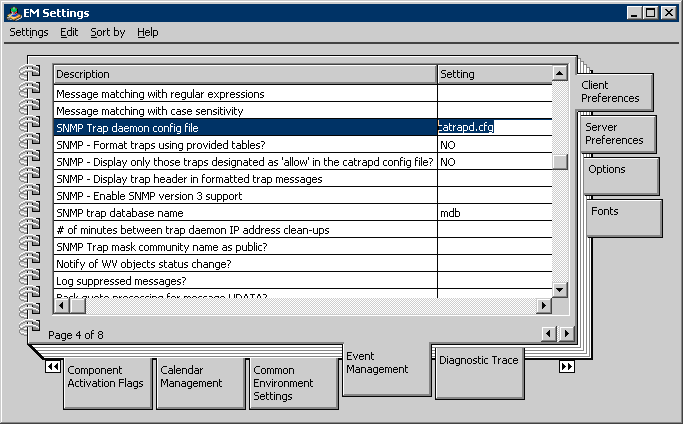
# CAITCM SNMP traps
*:*:*:*:1.3.6.1.4.1.791.* allow # Enable AM Policy traps
|
Copyright © 2013 CA.
All rights reserved.
|
|