

The File Explorer displays all the files and directories collected by the file scan collect task. The look and feel of the File Explorer is similar to the Windows Explorer. You can create files and directories, copy files from the network share on the domain computer to the File Explorer of the asset, and delete files and directories. These actions are not performed on the asset immediately; instead, an auto script job is created and executed during the next run of the agent.
The File Explorer displays only the filename, directories, size, date, and attributes; you cannot see the contents of files on the remote computer.
The following illustration displays the File Explorer for an agent computer:
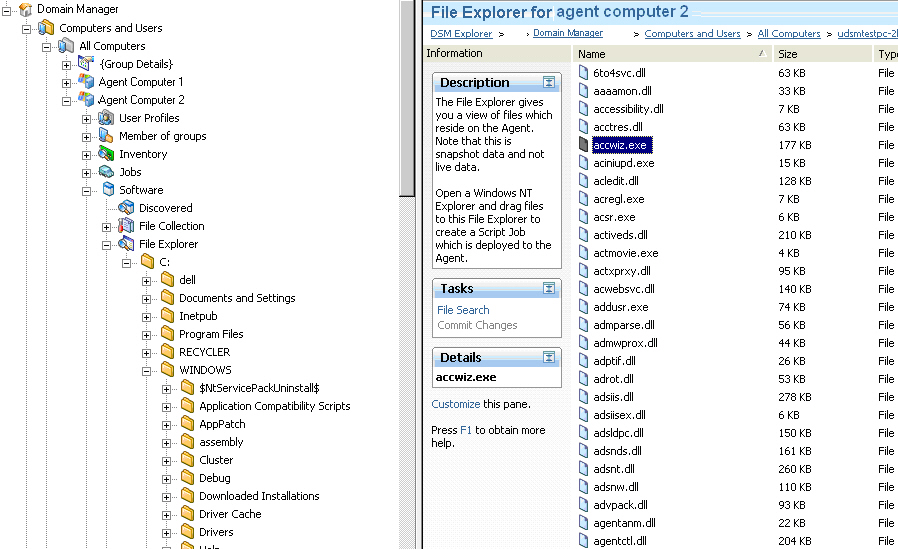
Note: This is snapshot data and not live data. Any changes made in the asset will take effect the next time the asset management agent runs.
|
Copyright © 2013 CA.
All rights reserved.
|
|