

|
|
|
Once you navigate your way to the object in the tree that you want to manipulate, you can create a new object entity, modify an existing one, delete it, display it, and define privileges for it.
To do these things, select the object and right-click. A pop-up menu appears which displays the actions allowed for the object. Alternatively, you can select the object and use the commands on the Edit menu or use the DOM toolbar.
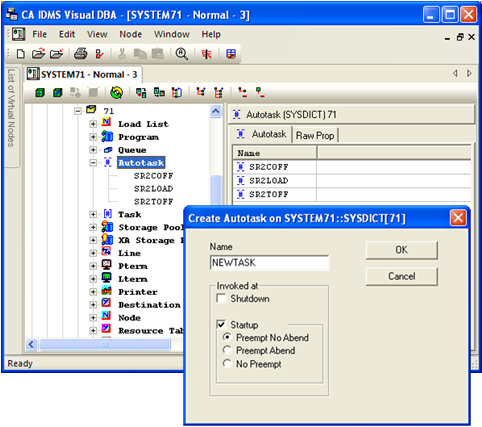
In the following figure, the Autotask system object is selected. The pop-up menu offers the option of creating a new system autotask. When you click Create, a dialog appears that guides you through the Autotask definition. If you need help understanding the dialog options, press F1 for detailed field-level help.
| Copyright © 2011 CA. All rights reserved. | Tell Technical Publications how we can improve this information |