

|
|
|
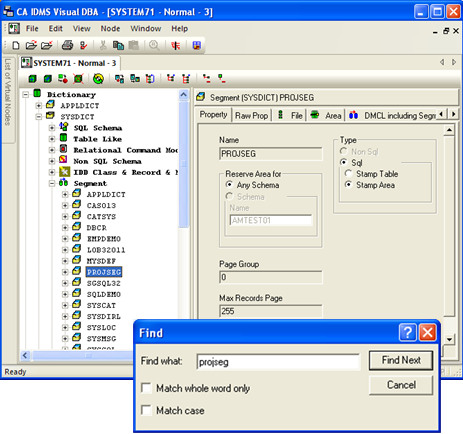
CA IDMS Visual DBA offers a search tool to search for an object or object category in an expanded tree. For example, if you want to find a specific segment, click the Find button,  (or use the Edit Find command). A dialog displays prompting you for the search string and other search criteria. When the segment is found, it is highlighted in the Object Tree pane and associated information displays in the Detail Information Pane.
| Copyright © 2011 CA. All rights reserved. | Tell Technical Publications how we can improve this information |