

|
|
|
You can use tear-out windows to customize your view of the hierarchical object tree display.
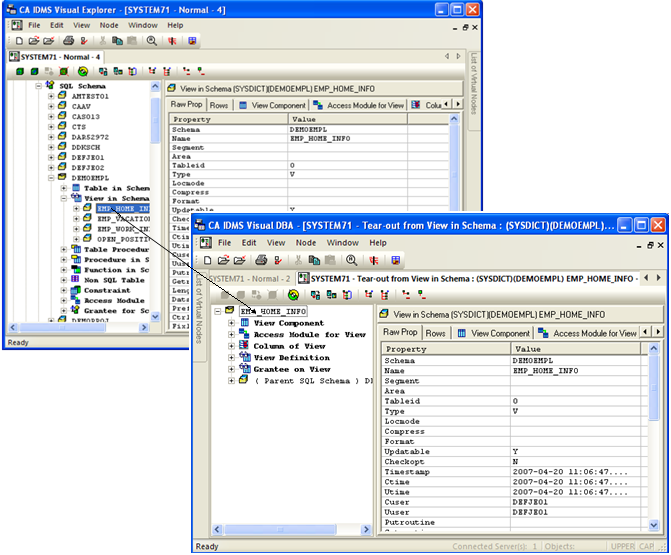
If you want to view a branch in a new window, you may use the Tear-out feature. By selecting a branch and clicking the Tear-Out toolbar button  (or choosing the Tear-Out command from the Window menu), you can create a new window, while leaving the original window in tact. The branch you select becomes the root branch in the new window and may be expanded to reveal all existing subbranches.
As an example, you can look at the Database Object Manager window that was used in the previous section. By clicking on the Tear Out toolbar button, a new Database Object Manager window is opened, with “EMP_HOME_INFO” as the root branch:
| Copyright © 2011 CA. All rights reserved. | Tell Technical Publications how we can improve this information |