

|
|
|
The information you need often begins on a level far beneath the root object category branch. The layers of subbranches that you must pass through may be extraneous, in this instance, so you may want to remove them from view. To do this, use the Restart From Position toolbar button ( ) to execute the command that converts any branch you select into the root branch of your window.
For example, in the following window, the branch, “EMP_HOME_INFO” is nested deep within the tree. Clicking on the Restart from Position toolbar button changes the window, as follows:
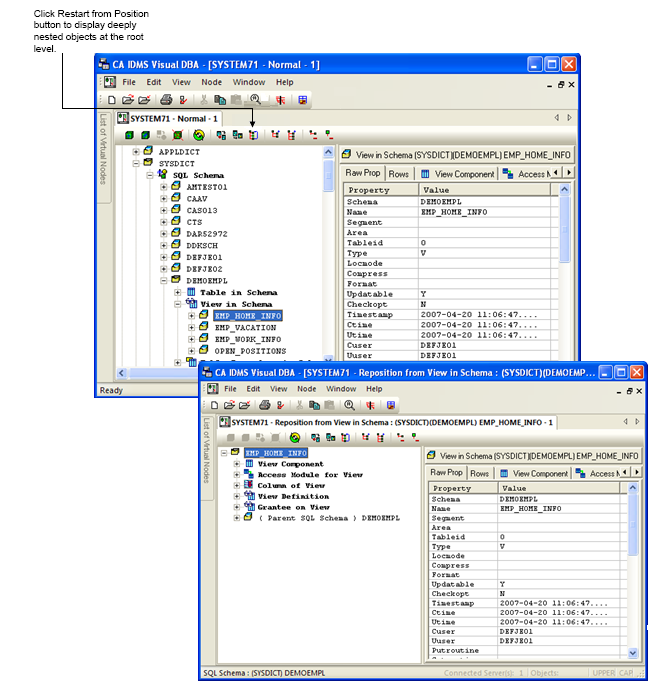
Now, “EMP_HOME_INFO” is the root branch and may be expanded using the same techniques previously described.
| Copyright © 2011 CA. All rights reserved. | Tell Technical Publications how we can improve this information |