

To prepare the subschema, you perform these steps:
IDMSUBSC Execution
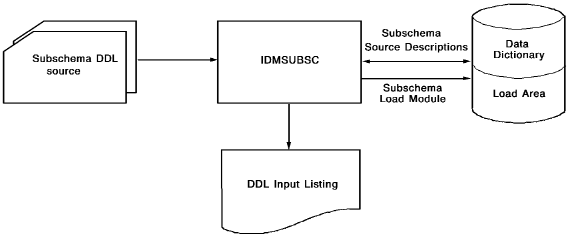
The following figure shows the execution of the subschema compiler IDMSUBSC.
Input to IDMSUBSC
Input to IDMSUBSC is the subschema DDL created by the transparency generator.
Output from IDMSUBSC
Output from IDMSUBSC is:
Note: For more information about the IDMSUBSC messages, see the CA IDMS Messages and Codes Guide.
Punching the Subschema Load Module
To punch the subschema load module, you submit a PUNCH LOAD MODULE statement to the DDDL compiler (IDMSDDDL).
Output from IDMSDDDL is an object deck. z/VSE users must be sure to save this output for use in step 7 of this conversion.
Linking the Subschema Load Module
Input to the linkage editor is the object deck produced by IDMSDDDL.
Output from the linkage editor is a load module in the load library. The subschema in the load library is used by applications running in local mode and the transparency loader.
|
Copyright © 2013 CA.
All rights reserved.
|
|