

You can use the Transfer File in several ways, as illustrated in Exhibits 1.5a thru 1.5f. You can use the Transfer File to:
Exhibit 1.5a shows the first step for using the Transfer File; Exhibits 1.5b thru 1.5f show the second step for each different way you can use the Transfer File. The first step is always the same, and the second step can be iterative. The exhibits illustrate how easy it is to create and modify data structure diagrams when you use the Transfer File. All you do is specify the parameter statements (marked with arrows in Exhibit 1.5c thru 1.5f). CA IDMS Schema Mapper does the rest.
Note: Exhibits 1.5a thru 1.5f show how to use the data structure diagram and Transfer File produced with each execution of CA IDMS Schema Mapper. The Cross-Reference Report and Audit Report are also produced with each execution.
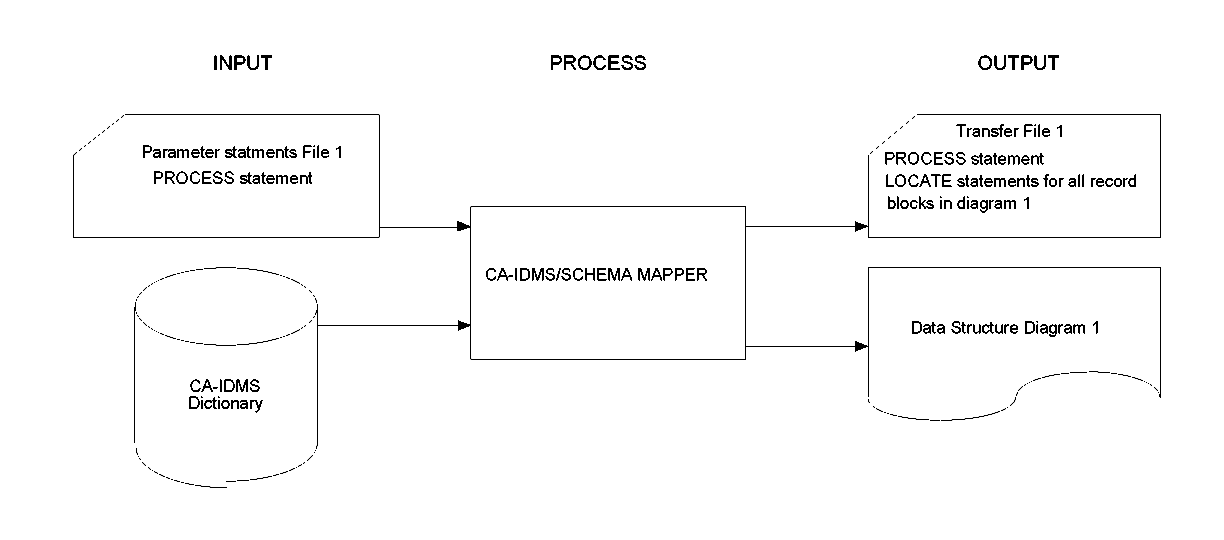
Exhibit 1.5a: Step 1 for Using the Transfer File
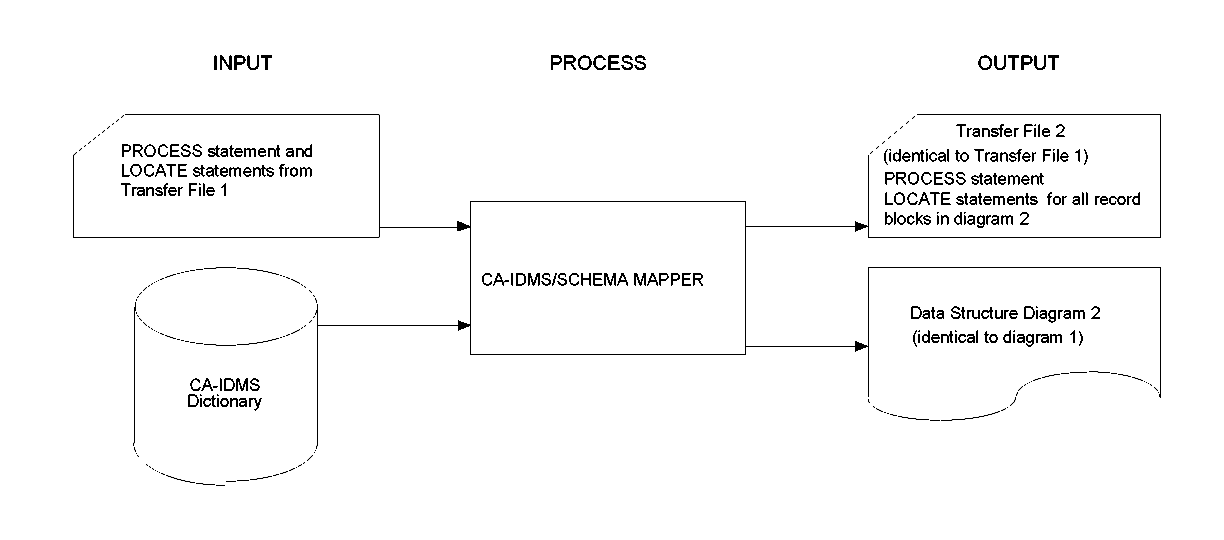
Exhibit 1.5b: Using the Transfer File to Produce the Identical Diagram
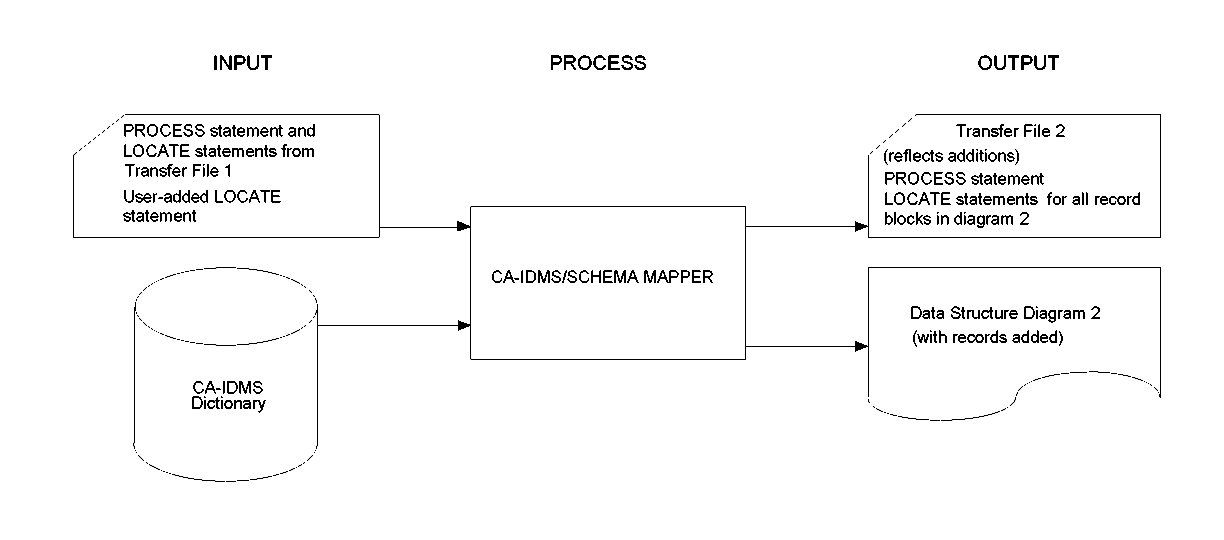
Exhibit 1.5c: Using the Transfer File to Add Record Blocks to the Diagram
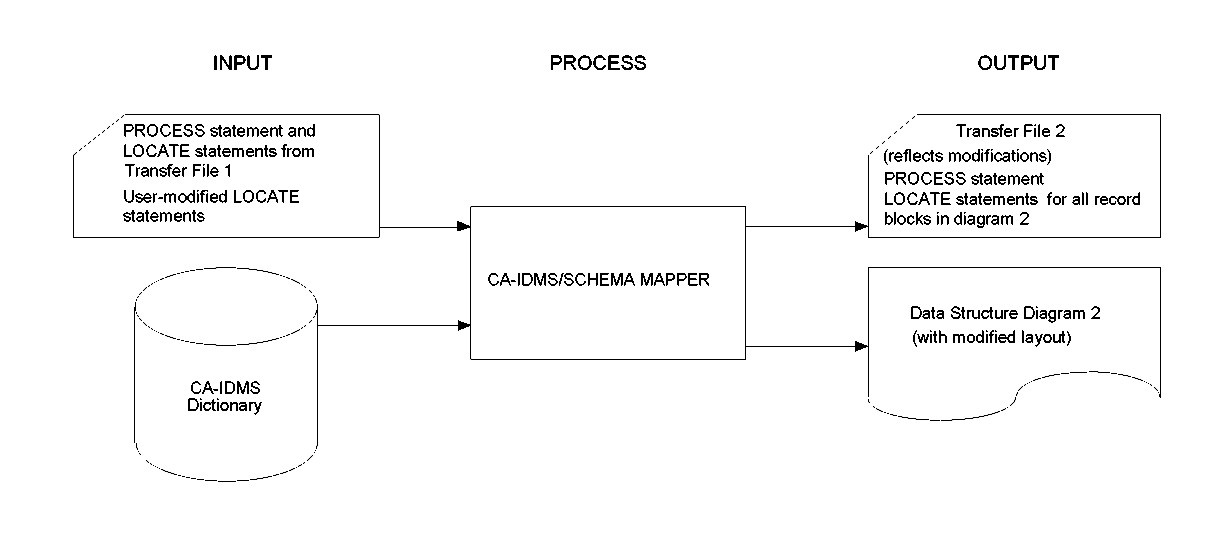
Exhibit 1.5d: Using the Transfer File to Modify the Layout of a Diagram
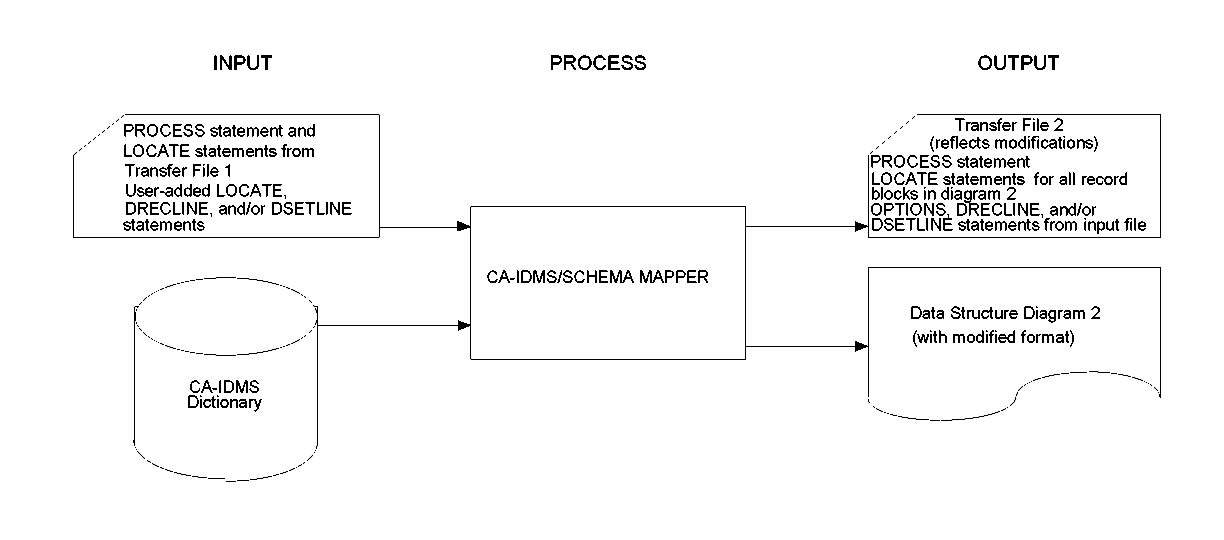
Exhibit 1.5e: Using the Transfer File to Modify the Format of a Diagram
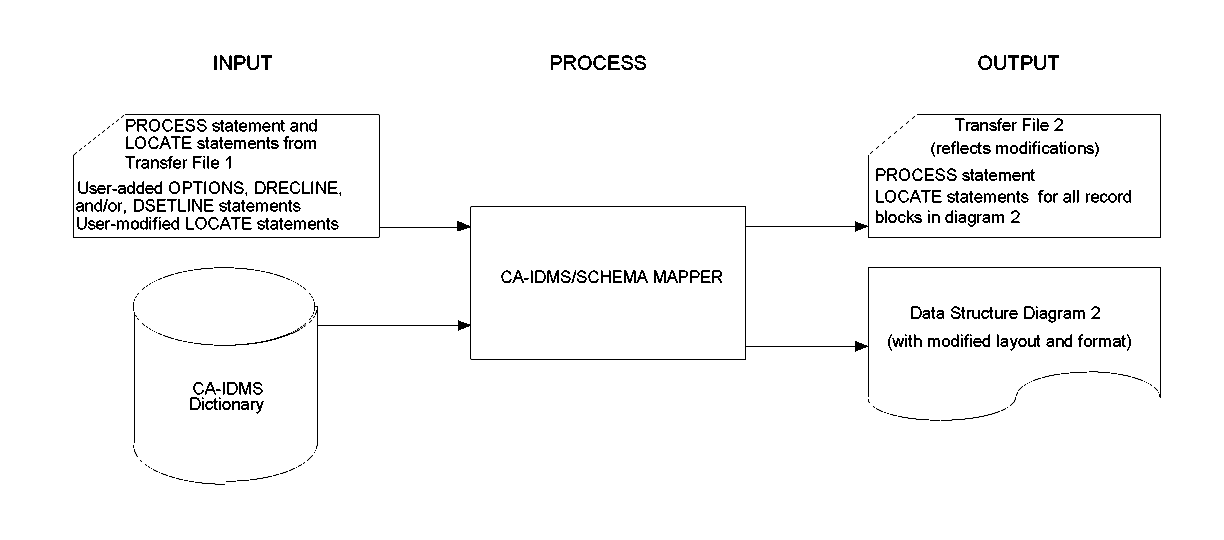
Exhibit 1.5f: Using the Transfer File to Modify the Layout and Format of a Diagram
|
Copyright © 2013 CA.
All rights reserved.
|
|