

You must connect to a CA IDMS data source before you can do anything else in Quick Bridge.
To connect to a CA IDMS data source:
In the following example, user defje01 connects to the TECHDC30 datasource, which uses the CA IDMS Server driver:
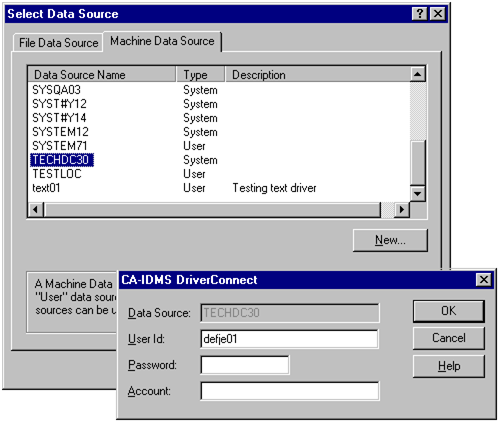
The CA IDMS Server requests signon information to complete the connection.
Note: For detailed information about defining data sources using the CA IDMS Server driver, see the CA IDMS Server User Guide. If EDBC for CA IDMS is used, see the EDBC product documentation.
|
Copyright © 2013 CA.
All rights reserved.
|
|