

When you run Quick Bridge, it displays its application window, where you perform the tasks to create a table procedure specification. The illustration below, which contains an existing table procedure specification, displays elements of the application window:
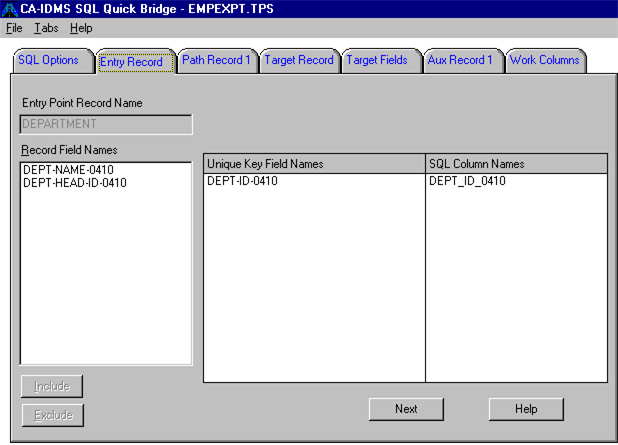
The title bar displays the product name and the name of the table procedure specification file. From the menu bar, you can pull down menus that help you create and manage table procedure specifications.
The tabs, like tabs in a notebook, help you quickly access different parts of the table procedure specification. To move from tab to tab, simply click on it or select it from the Tab menu. If your table procedure specification contains many tabs, Quick Bridge displays tab scroll arrows to let you know that there are additional tabs that are not displayed on the screen.
The split bar lets you resize the box compartments that contain the unique key field names and SQL column name equivalents. To use the split bar, position the mouse cursor over the split bar in the box heading. When the mouse cursor changes to a double-headed arrow, click the mouse and slide it left or right to resize the box compartments.
|
Copyright © 2013 CA.
All rights reserved.
|
|