

Before beginning the debugging process, it is recommended to determine the breakpoints that you want to set and the storage locations that you want to examine.
Breakpoints
To determine the hexadecimal offset of an executable program instruction at which you want to set a breakpoint, perform the following steps:
                       CROSS REFERENCE TABLE

CONTROL SECTION                        ENTRY
  NAME    ORIGIN   LENGTH                NAME    LOCATION
PLISTART      OO       50
                                       PLICALLA        6
PLIMAIN       50        8
*PLIPROG2     58      394
*PLIPROG1    3F0      EB4
                                       PLI3PROG      3F8
IDMSPLI     12A8      284
133                 WORK_LAST = EMP_LAST_NAME_0415;
134                 WORK_FIRST = EMP_FIRST_NAME_0415;
                                                              /*
                    MAP OUT (DCTEST01) OUTPUT DATA YES
                        MESSAGE (INITIAL_INSTRUCTIONS_MSG_1)
                        LENGTH (25)
                        DETAIL NEW KEY (DBKEY).
                                                              */
135                       /* IDMS PLI/I DML EXPANSION */   DO;
136                       DML_SEQUENCE=0013;
137                       DCCFLG1=0;
138                       DCCFLG1=13;
139                       DCCFLG2=16;
140                       DCCFLG3=0;
141                       DCCFLG4=4;
142                       DCCFLG5=72;
143                       DCCFLG6=0;
* STATEMENT NUMBER 136
0006AA  41 80 7 21C            LA     8,SUBSCHEMA_CTRL.D
                                      CCALIGN_AREA.FILLE
                                      R0001
0006AE  58 40 3 124            L      4,292(0,3)
0006B2   50 40 8 008            ST     4,SSC_ERRSAVE_AREA
                                      .DML_SEQUENCE
X'3F0' + X'6AA' = X'A9A'
AUTOMATIC Variables
To determine the offset of AUTOMATIC variables, locate the variable storage map and record the displacement value for each variable that you want to examine during the debugging process:
MAP_WORK_REC               1           796        31C        AUTO
WORK_DEPT_ID               1           796        31C        AUTO
WORK_EMP_ID                1           800        320        AUTO
WORK_FIRST                 1           804        324        AUTO
WORK_LAST                  1           814        32E        AUTO
WORK_ADDRESS               1           829        33D        AUTO
WORK_STREET                1           829        33D        AUTO
WORK_CITY                  1           849        351        AUTO
WORK_STATE                 1           864        360        AUTO
WORK_ZIP                   1           866        362        AUTO
WORK_DEPT_NAME             1           871        367        AUTO
You can locate AUTOMATIC variables at runtime through register 13.
STATIC INTERNAL Variables
To determine the location of STATIC INTERNAL variables, examine the static internal storage map to find the hexadecimal offset for each variable that you want to examine during the debugging process.
You can locate STATIC INTERNAL variables at runtime through register 3.
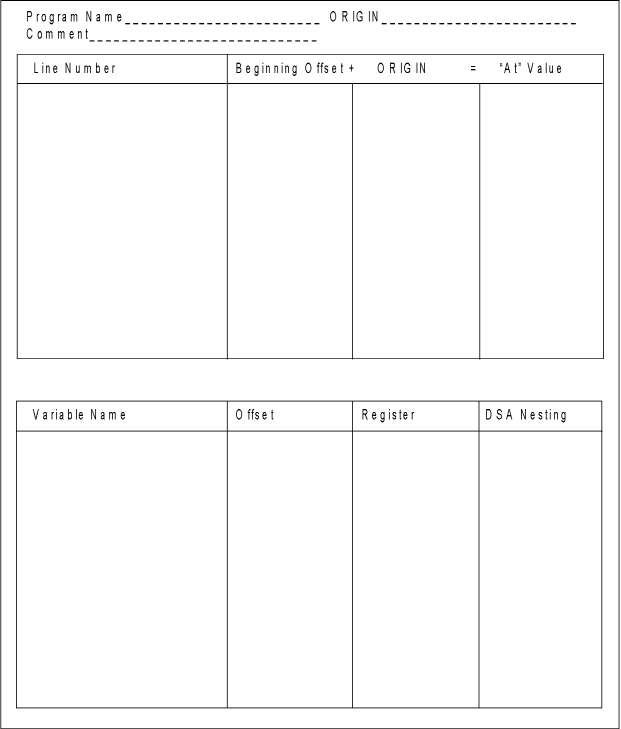
You can use the following table to record displacement information before starting a debugger session.
|
Copyright © 2013 CA.
All rights reserved.
|
|