

From the menu bar, select File, Open to open an existing translation table.
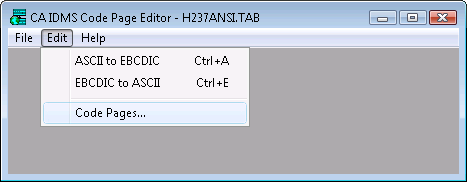
For a new or existing translation table, select Edit, Code Pages to access the CA IDMS Country Extended Code Page Selection dialog. This dialog lets you select the code pages to use for your translation table.
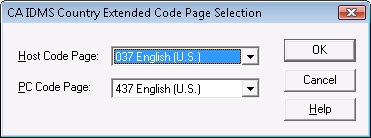
The Host Code Page list includes the following Code Pages for the EBCDIC character set on the mainframe:
English and most other European languages
German and Austrian German
Norwegian
Finnish and Swedish
Italian
Spanish
English and most European languages
French, using the AZERTY keyboard
Belgian, Swiss French, and Swiss German
The PC Code Page list box includes the following Code Pages for the ASCII character set:
English and most other European languages
Most languages using the Latin alphabet
Slavic languages using the Latin alphabet
English and Portuguese
English and French Canadian
Scandinavian languages (Swedish, Norwegian)
|
Copyright © 2009 CA.
All rights reserved.
|
|