

As a systems integrator, you may need to add to or modify data within CA GovernanceMinder. You can modify data during an import (or an export) by running a transformation.
Use Case - Remove Expired Links
You are importing data from an Enterprise Resource Planning (ERP) application. In this application, users have roles membership. When their role membership expires, the system keeps the account and adds an end date field. When you import the data into CA GovernanceMinder, you can filter out users with expired role memberships based on the end date. This filter ensures that managers do not certify invalid access during a certification.
Note: The following process documents the steps to create the transformation sample KTR file 'removeExpiredUserResourceLinks.ktr located in the CA\RCM\Server\data-integration\samples\RCM directory. This sample covers the scenario of removing expired links to SAP or Oracle Roles that are usually modeled as resources in CA GovernanceMinder.
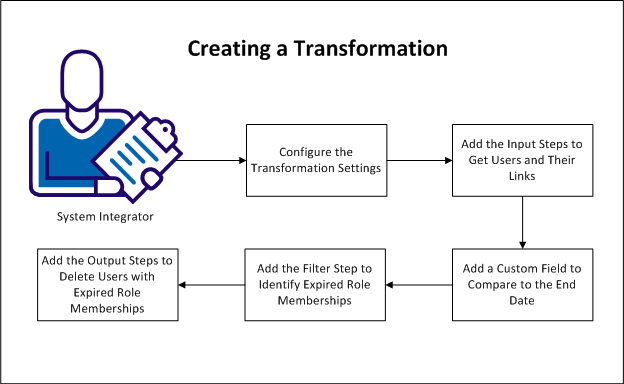
Follow these steps:
|
Copyright © 2013 CA.
All rights reserved.
|
|