Previous Topic: Set JCL VariablesNext Topic: Define Regional Settings


Set Encyclopedia Variables

Follow these steps:

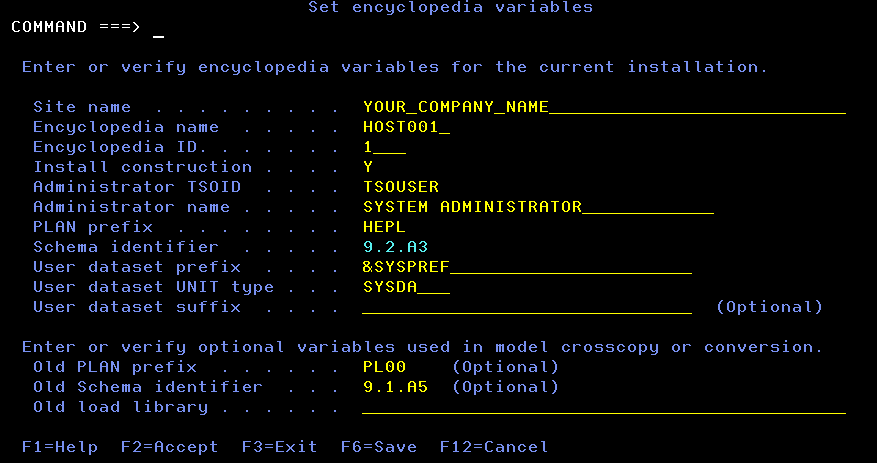
  1. Select option 4 on the Installation variables management screen and press Enter.

    The Set encyclopedia variables screen displays.

    Set Encyclopedia Variables

  2. Complete the fields on the Set Encyclopedia Variables screen, based on the following considerations:
  3. Press F2 to verify and save the values in a working copy of the user's ISPF profile pool.
  4. When the verification is complete, press Enter to exit the Activity Display screen.
  5. Press F3 to exit the screen.